
Easily Detect Potential Billing Errors
Thanks to a new system notification, you can quickly and easily detect potential billing errors and fix them directly. Test it now!
A new system feature prevents you from issuing potentially incorrect invoices
When billing time-duration items, the following use case can arise: you have a contract with your customers in which you bill a fixed amount X every month. This might be, for example, a rental fee, licences or a flat-rate service charge.
Due to cost increases, you want to raise this price, say from 100 to 110 €. You open the order, close the existing item by entering an end date, and open a new item with the higher price. This way the billing continues to work correctly and you can later see when the change took place.
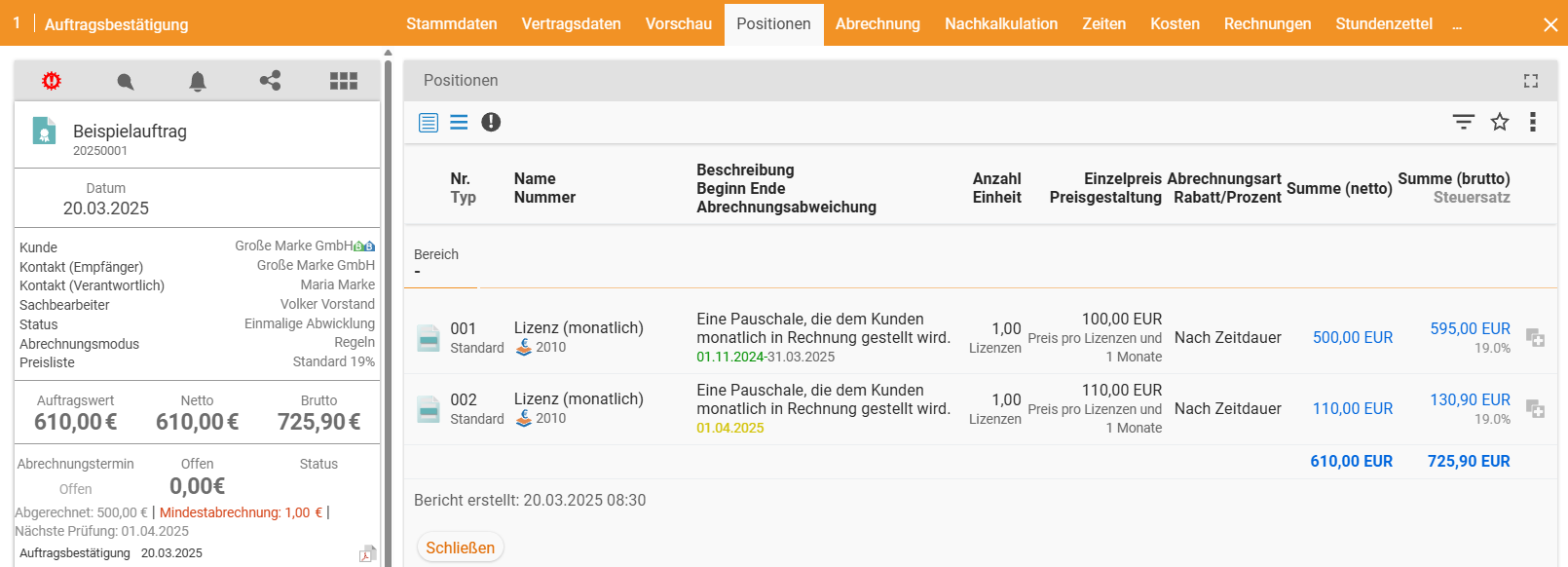
An error arises, however, when the user is tempted to enter the price change directly in the existing item rather than closing it and opening a new one. In this case, the order assumes that the new price applied from the very beginning and therefore expects 110 € instead of 100 € for all previous months as well.
Let us assume the contract has already been running for 5 months. The system would then expect a total invoice amount of 550 € instead of 500 €. We have thereby created a potential billing error of 50 €. The system displays this billing error within the order itself and, if desired, also as a separate column in the order overview.
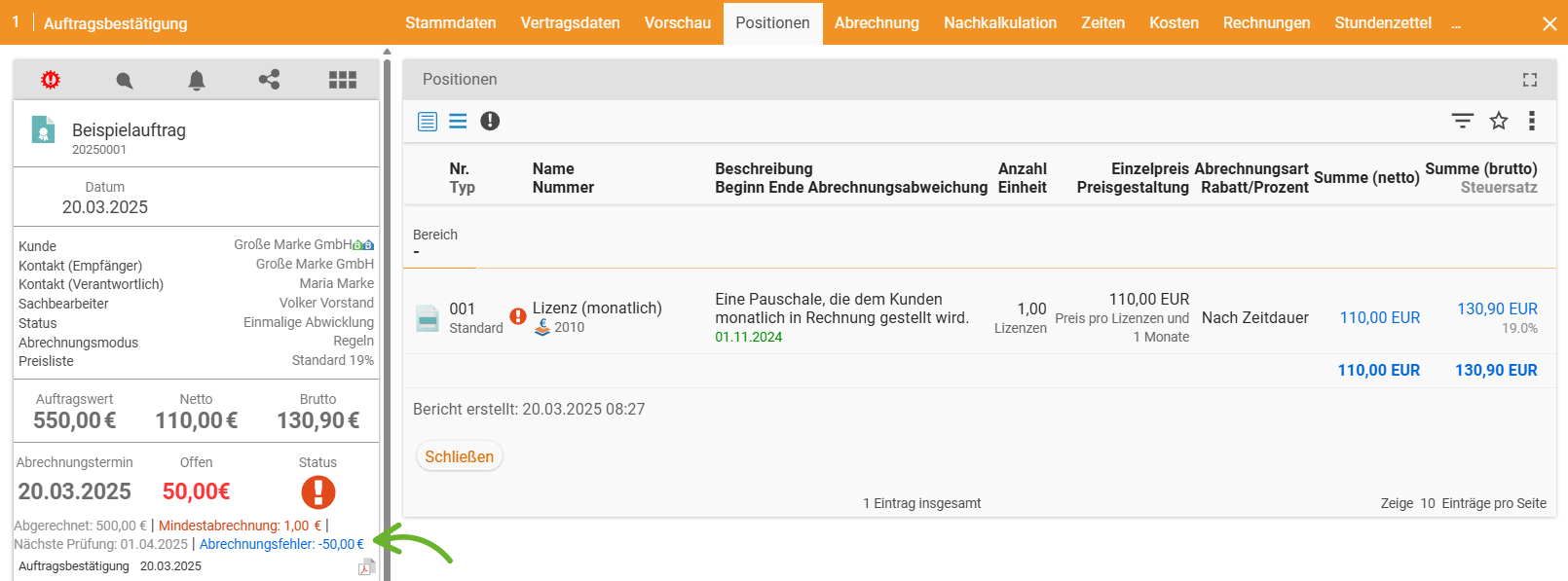
The error may now either mean that we actually under-billed by 50 € in the past — in which case we can simply invoice the additional amount. Or — as in our scenario — the error is that the price increase was not entered as a separate item. This can be corrected by closing the old item and entering the new price as a separate item with a new validity period, as described above.
If you find orders in your system that display billing errors, please feel free to contact our consulting team. We will support you in identifying the cause.
An alternative billing method for time-duration items
Let us assume that price changes occur frequently in your day-to-day business. At the same time, it is not important to you to be able to trace within the order exactly when the change took place. Instead, you would find it cumbersome if a new item had to be created for every new price. In this case, you can change the billing method for time-duration items globally.
The corresponding option can be found under Configuration > Finance > Settings > Items. There, in the “Calculation basis for time periods” field, you can choose between full term and remaining term with current price. “Full term” means that the entered price applies to the entire duration of the item, including retroactively. In this case, you must close the item and open a new one when changing the price.
With the new “Remaining term with current price” option, this step is no longer necessary. Concretely, this means the following: if you change the price in an ongoing time-duration item, the new price will only apply from the next billing period onwards. The past is completely ignored. This way you can change prices quickly and easily without having to create a new item or generate billing errors.
Which option is more practical depends on your business. Our consulting team will be happy to assist you in selecting and setting up the right option.