
Online ticket system: manage requests digitally
The online ticket system for managing emails and customer inquiries digitally. Ideal for service, support and helpdesk.
Enquire nowA ticket system for your company
Service companies often receive countless customer inquiries every day. One way of dealing with this is to collect the inquiries in a shared email inbox and distribute them from there. The limitations of such a system are obvious. There can be no question of clarity, maintenance is extremely time-consuming and the functionality leaves a lot to be desired.
A better solution for processing customer inquiries is an online ticket system. It is just as easy to use as a mailbox, but your options are much more varied.
Every incoming inquiry, whether customer or supplier, whether email or telephone, is assigned a unique ticket ID. Via this ID, the entire internal company processing procedure can be handled and tracked. Your options when working with tickets are virtually unlimited:
- Answer and forward tickets just like emails
- Change and monitor the ticket status
- Assign tickets to channels and responsible people
- Define response times and set up alerts
- Document all processes
- Import emails from Outlook via an add-in
Advantages of an online ticket system
All requests at a glance
With the projectfacts online ticket system, you can keep track of your customer inquiries at all times. In an individual dashboard, each user sees incoming tickets in their channel that are relevant to them.
Ticket workflows
Define ticket statuses that are processed in a specific order, e.g. 'open', 'in progress' and 'completed'. This results in clear processes and those responsible always have an overview.
Billing tickets
Define individual cost rates for your ticket system, record working hours for tickets and define response times. These options make billing for support services child's play.
YouTube blocked due to privacy settings
We use cookies and similar technologies on our website and process personal data about you (e.g. IP address), e.g. to personalize content and ads, to integrate media from third-party providers or to analyze access to our website. Data processing may also take place as a result of cookies being set. We share this data with third parties that we name in the privacy settings.
Data processing may take place with your consent or on the basis of a legitimate interest, which you can object to in the privacy settings. You have the right not to consent and to change or revoke your consent at a later date. Further information on the use of your data can be found in our privacy policy.
Are you under 16 years old? Unfortunately, you are not allowed to consent to this service yourself. Please ask your parents or guardians to consent to the service with you.
If you load the blocked content, your privacy settings will be adjusted. Content from this service will no longer be blocked in the future.
Highlights of our ticket system

The all-in-one solution
Ticket management
projectfacts ensures that there are no more unanswered customer inquiries. No email is forgotten or gets stuck in the inbox of a single employee. With the online ticket system (also known as the 'ticketing system'), you organise and manage all communication in your company, both internally and externally.
As an integrated solution, projectfacts enables you to manage tickets in a variety of ways:
- Convert tickets into projects or work packages
- Record and book working times for tickets
- Settle costs incurred for a ticket
- Store and move tickets on a board
- Process service contracts via online ticketing

Complete documentation
Ticket administration
With the projectfacts ticket system, you can keep track of internal and external requests: unique ticket IDs collect all processes for a topic, ticket channels separate your requests by category and you can keep an eye on the processing status with the ticket status.
The CRM system collects all ticket communication in a digital customer file. The intelligent warning system makes itself known if inquiries remain unanswered for too long.
A ticket system with its finger on the pulse: GDPR-compliant, integrated and secure.
- Personal dashboard with ticket overview
- Extensive filter and sorting functions
- Intelligent warning system for unanswered tickets
- Tickets are collected in the digital customer file
- Manage tickets online: GDPR-compliant and secure
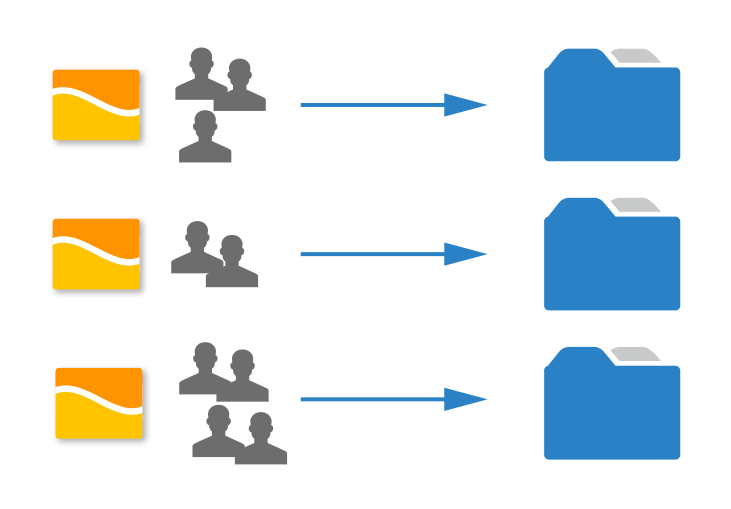
Link tickets and projects
Ticket project management
Occasionally, a small request from a customer turns into an entire work order. You can do full justice to this with projectfacts, as you can convert a ticket into a work package or a separate (sub)project.
Avoid using additional systems and do everything in one software instead. Project agreements no longer have to be maintained in several places in parallel with projectfacts, but can be accessed centrally and online at any time. With projectfacts ticket project management, you can handle everything from a single source. This saves you important time and helps you to keep an eye on everything.
- Simply create projects from tickets
- Tickets, CRM and project management from a single source
- Plan project structure, resources and budgets
More overview and efficiency thanks to ticket system
Keep an eye on incoming e-mails and calls. Use the projectfacts ticket system instead of overflowing mailboxes. Try it out right away!
Enquire now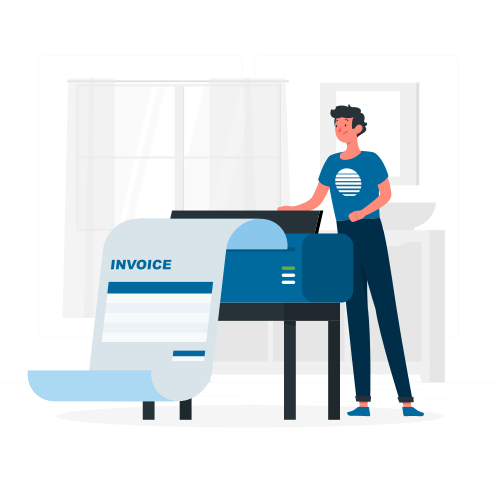
Invoicing support
Ticket billing
Manage your service or support contracts with your customers. Your employees can enter times directly for tickets. The recorded times are automatically displayed in the billing and in the service record. This saves you and your employees double the maintenance work.
With the integrated billing workflow, you can create a ticket invoice in no time at all.
- Digitally map service and support contracts
- Configure cost rates and response times individually
- Billing fixed-price articles and booked working hours
- Integrated billing workflow
"For us, projectfacts is an indispensable tool that we use centrally to ensure the timely and professional completion of demanding customer projects."
So that no ticket is left lying
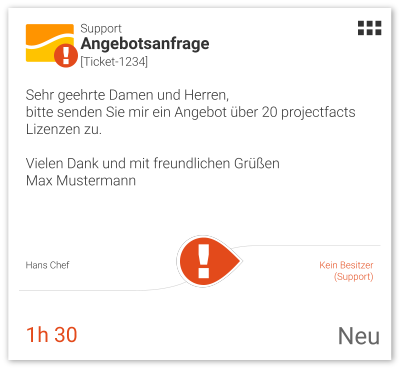
An unanswered ticket annoys customers and support staff alike. The most common cause is not technical but organisational: responsibilities are unclear, particularly when the team is spread across several sites or working from home. Two mechanisms in the projectfacts ticket system catch that.
Ticket escalation
You configure, per ticket channel, that tickets escalate after a period you set yourself. What happens then is up to you as well:
- Releasing ownership: if a ticket sits with its assigned owner, ownership is released once the deadline passes. The request drops back into the channel without an owner and becomes visible again to every colleague with access.
- Changing channel: if nobody takes ownership, the system moves the ticket to another channel automatically after the set time. That lets you set up a channel such as Urgent with a wider group of subscribers.
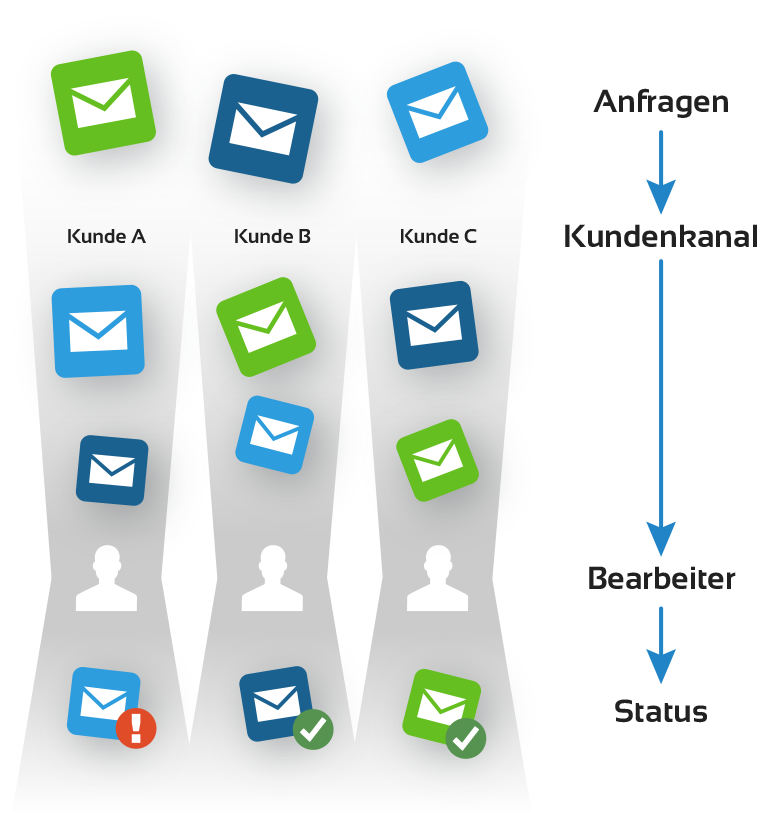
A dedicated ticket channel per customer
Normally a ticket system sorts mail into channels by the address it arrived at: anything sent to the service address lands in the service channel. In addition, a dedicated ticket channel can be stored on a customer's CRM record. When somebody from that company writes in, the system moves the mail there automatically.
The practical case is key account management: you set up a channel per key account manager and link it to the customers they look after. Requests then land straight with the right person instead of waiting in a central pool. If that person is ill or on holiday, escalation makes sure the ticket is released and can be picked up by a stand in.
When a ticket turns into a project
Sometimes a ticket conversation grows into a piece of work that a ticket can no longer steer. Through the action box, under Management, you then create a ticket project. The information from the ticket is carried over, and you decide whether it moves into an existing project as a work package or a subproject, or becomes a new main project. Budget and assignee can be added at the same time. The conversation continues through the ticket, while the work is steered in ticket project management.
Digitise your customer support
Helpdesk
All inquiries from your customers that arrive by email are automatically converted into a ticket and end up in the system. For larger customer projects, you can use the customer or self-service portal. This means that your customers always have access to all associated tickets and can track their progress themselves. This also saves you having to make inquiries about older tickets, which can cause unnecessary new work. A real benefit for your helpdesk.
Telephone calls can also be recorded as tickets. The telephone interface, with which callers can be automatically recognised, helps you with this.
- Helpdesk with online ticketing: fast, secure and digital
- All information in the digital customer file
- Integrated customer portal
Your Customer Self Service
Customer portal
Would you like to give your key accounts direct access to your tickets? With projectfacts, you can do this easily by setting up a customer or self-service portal.
Your customers always have access to all associated tickets via the portal and can track their progress themselves. This also saves you having to make inquiries about older tickets, which can cause unnecessary new work.
The read and editing rights can be set individually per user and organisation. For example, can employees only see their own tickets or all of the organisation's tickets? The choice is yours.
More about the customer portalRecord incoming requests directly in the ticket system
No more paperwork. Put away pen and paper and record customer inquiries in the ticket system. Communicate with colleagues and keep track of unfinished emails. Try it out right away!
Enquire nowFurther functions of the projectfacts ticket system
- Internal tickets
- Ticket channels
- Support and sales assistance
- Response time tracking
- Ticket warnings
- Resubmissions
- Various ticket statuses
- Priorities
- Time recording via ticket projects
- Mail templates
- Autoreply
- SLA support
- Ticket billing
- External ticket cockpit
- Automatic CRM documentation