
Invoice Cost Processing
Use e-invoices to fill out cost statements directly.
Passing on external services
With projectfacts you can quickly and conveniently pass on external services to your customers. For this purpose you have the option to create a cost settlement from an incoming invoice. The invoice amount is converted into an independent cost element that you can link to a customer project. Through the associated order, these costs automatically flow into the next invoice. Learn more about invoice cost processing now.
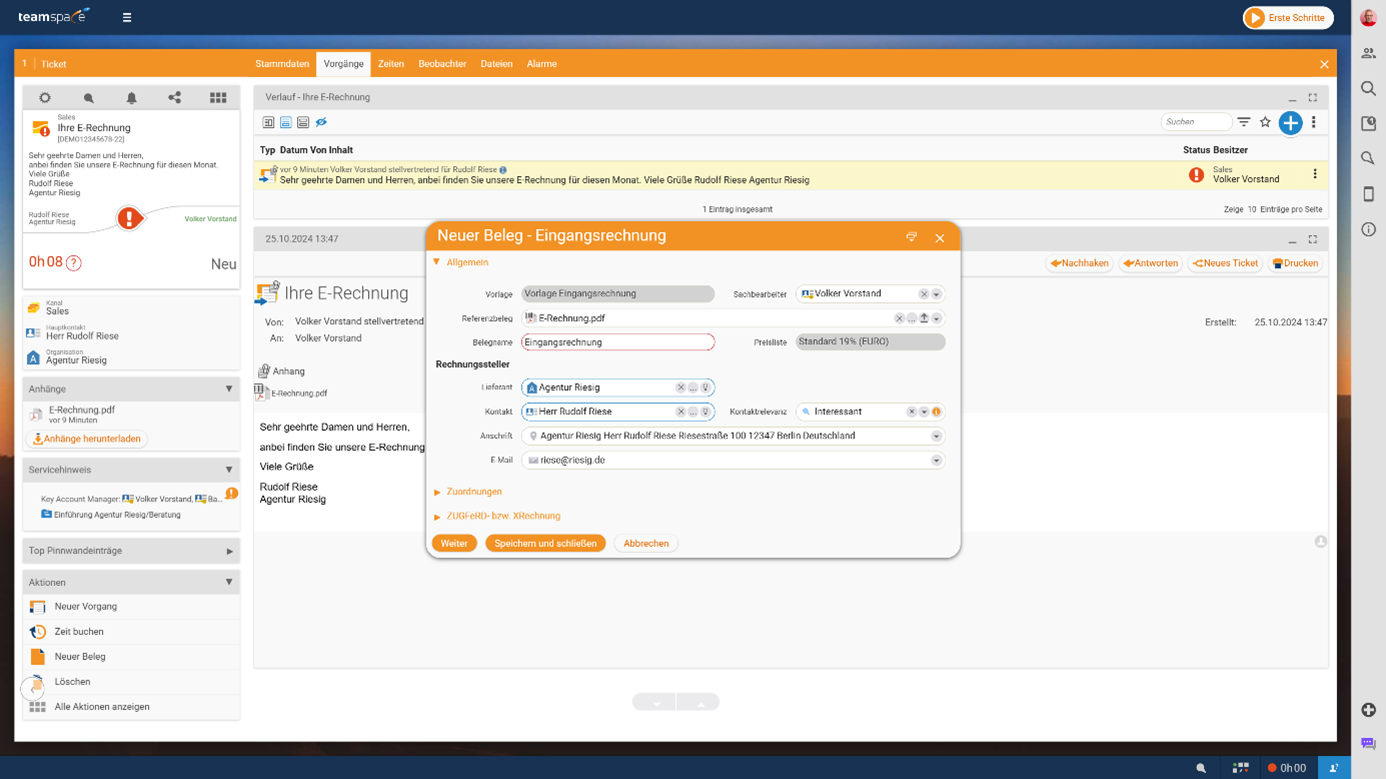
Recording the incoming invoice
You can record incoming invoices in different ways. Let us first look at receiving by email. In this case, the incoming invoice is attached to an email. You can now generate an incoming invoice from the attachment. This is particularly convenient when it is an e-invoice. In that case, all invoice data is automatically read out and transferred to the system. If you do not receive the invoice directly by email in the system, you can also first create the document in the system and simply link the e-invoice via drag & drop.
Once you are satisfied with the basic settings of the document, the incoming invoice is created in the background. The individual line items of the document are also transferred to the system using a standard incoming item.
Alternatively, you can upload incoming invoices directly as part of the quick entry of expenses. In this process the cost element is created and linked to the invoice. Especially for receipts with a single line item, this is a quick and easy method to record the costs in the system and attach the invoice directly.
You can learn more about the options for recording the costs of an e-invoice in the following video. Learn more about e-invoices here!
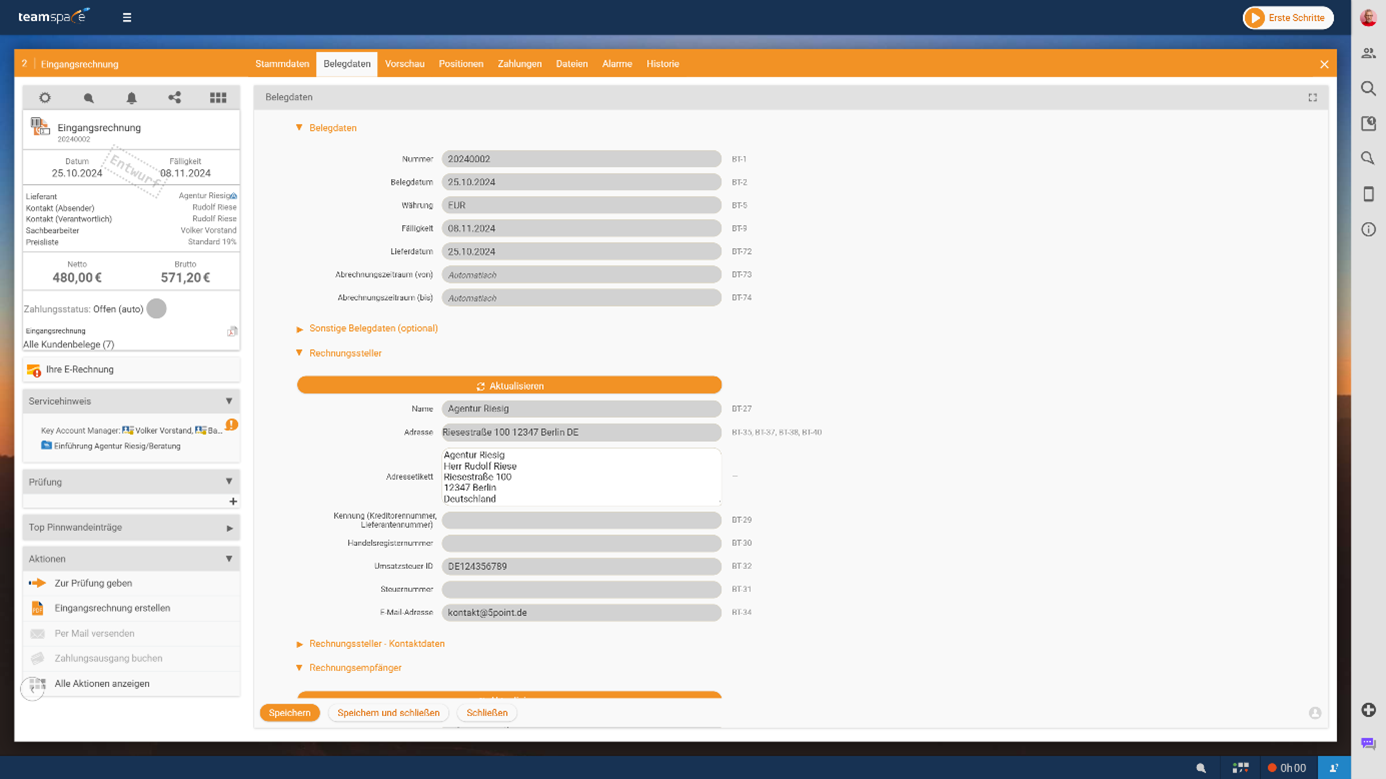
Cost processing for the invoice
For each cost element you can decide whether and how a recharge to the customer should take place. The following options are available:
    • **No recharge**: The cost element is not passed on to the customer.

    • **Manual recharge**: The billable amount is set manually.

    • **Recharge via the cost element**: The costs are passed on one to one.

    • **Recharge via the price list**: The billable amount is based on the item price in the order's price list.

    • **Recharge via the order item**: The amount results from the order item into which the costs flow.
Transparent cost overview
In the cost tab of the order you can see all incurred costs that will be carried over into the next invoice. For maximum transparency you can create a cost statement. This document is attached to the invoice – similar to a timesheet – and lists all cost elements clearly. This way your customers always maintain an overview of the services charged.
With teamspace, the recharging of external services is seamlessly integrated into your workflow – efficient, flexible and customer-oriented.