
Your Intelligent Phone Interface
Manage your communications more efficiently than ever – with our intelligent phone interface.
Information on Incoming Calls
With the intelligent phone interface in projectfacts, you already know who is calling before you even pick up the phone. Existing contacts in the system are automatically searched by the incoming number and matched directly. This allows you to identify your customers instantly when they call. Additional service notes on the contact help you get a quick overview. For example, you can see:
the current priority of the customer according to ABC analysis,
the responsible key account manager,
the type and scope of the customer order,
and much more.
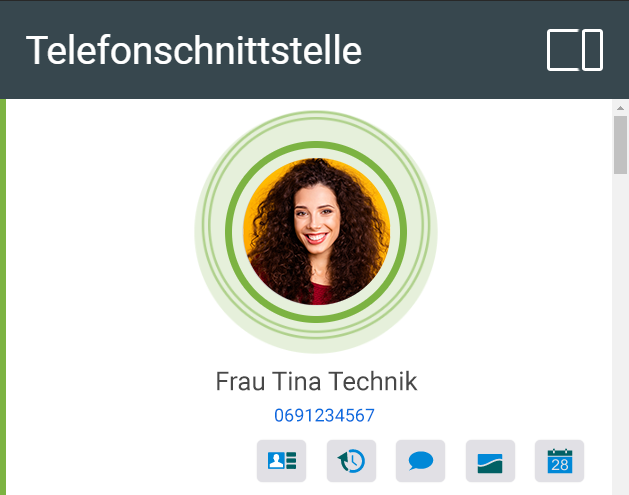
Actions on Incoming Calls
Jump to the Contact
If you want more detailed information — for example, a history of your communication with the customer — you can navigate to the associated contact with a single click. There you can trace all activities related to the customer in chronological order. Which activities are displayed is entirely up to your preferences. You can also view service notes on the customer here.
Create a New Contact
If the incoming phone number is not yet stored in the system, you can create a new contact directly and add them to an existing organization or create a new one. This keeps your CRM database up to date at all times and ensures you do not lose sight of new prospects. A valuable aid for both sales and after sales.
Track Time
In a helpdesk or support environment in general, billing is often based on the time invested. projectfacts makes your life as easy as possible in this regard: you can record your working time at the touch of a button and assign it directly to the contact. This is fast, and the subsequent billing runs automatically.

Document a CRM Activity
Especially for your sales work, it is important to document activities relating to prospects and customers cleanly. projectfacts gives you a simple and flexible tool for this: CRM activities. Want to make a note to call someone back, for example? No problem. Simply create a follow-up item and enter the desired date. When the time comes, the system will notify you automatically.

Create a Ticket
Does your customer have a specific problem or request? With a single click, you can create a ticket for it and, if desired, assign it to a channel and an agent. This allows you to structure your support work quickly and efficiently. Instead of yellow sticky notes wandering from desk to desk, everything important is documented digitally. Your team can then process the ticket directly and subsequently provide feedback to the customer. If the request turns out to be more complex, the ticket can be converted into a standalone project at any time and planned in full detail.
Create Appointments
A phone call often simply serves the purpose of scheduling an appointment. It’s convenient to have an online calendar right at hand, as in projectfacts. With a single click, you can create a new appointment and, if desired, forward it directly internally or externally. Also convenient: the contact of the caller is automatically assigned to the appointment.
Integrating Call Escalation
In support or at your helpdesk, several employees often work in parallel, which means the phone rings in many places at once. For this, projectfacts offers a management feature with the phone interface that allows multiple escalation levels to be mapped in the telephone system.
When an employee answers the call, it is displayed as “taken” for all other employees involved. The call list makes it possible to trace who was involved in the last escalation level and who answered the call.
Documenting Phone Calls
Personal phone calls are displayed in the projectfacts sidebar for seven days. In addition, they are documented in the call list. Individual permissions again govern which employee has access to which part of the list.
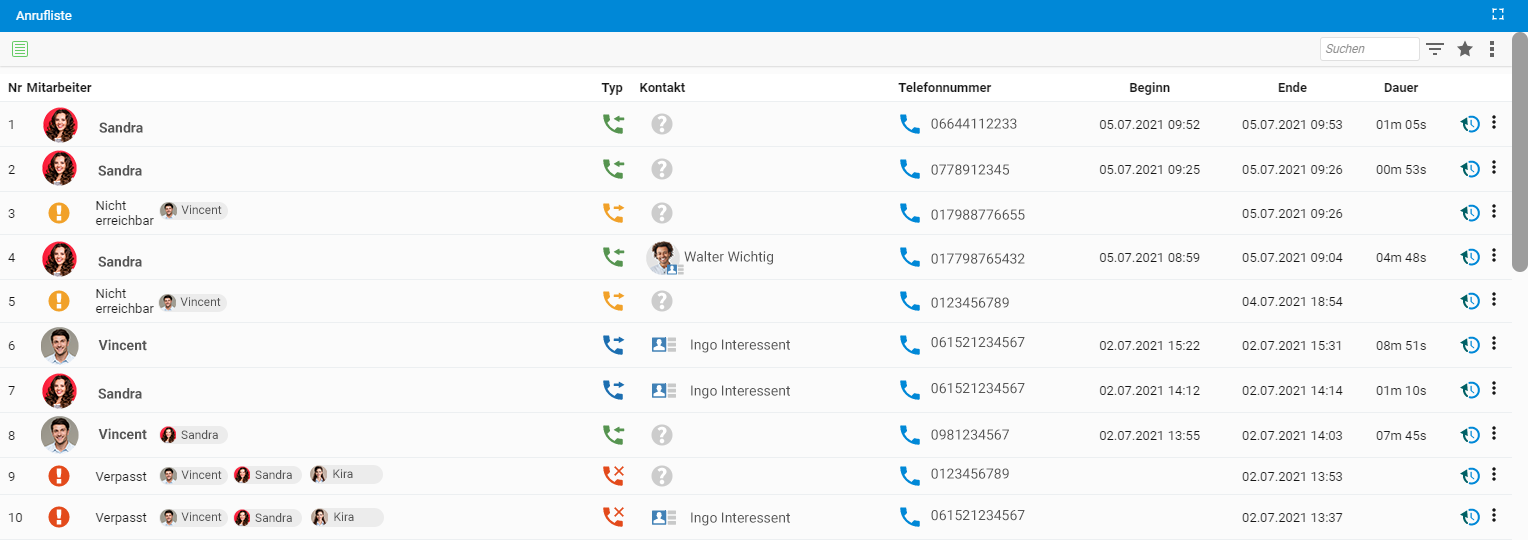
If a phone app is integrated in the web browser, you can call stored numbers directly with a mouse click. All actions that are available during an incoming call can also be performed retroactively from the call list, i.e.:
- Jump to contacts or create new contacts,
- Track time,
- Document CRM activities,
- Create tickets, and
- Create appointments.
Of course, you can filter and sort the call list as you wish. This gives you a quick overview of all calls of the month, conversations per employee or customer, and much more. In addition, phone calls can be traced at any time in the associated contact or organization.
Setting Up Your Phone Interface
If you are interested in integrating your company’s telephone system into projectfacts, please feel free to contact our consulting team directly.
If you would like to get a first impression of the projectfacts software, simply register on the homepage for a free test account.