Improved Usability for projectfacts
Discover new features and the improved usability of projectfacts: ✓ Progressive Web App (PWA) ✓ Mobile optimisation and much more.
Improved performance
Online software like projectfacts offers many advantages, as it is always accessible wherever there is internet. Nevertheless, you sometimes wish for the convenience offered by a conventional application on a PC or smartphone.
As a Progressive Web App, projectfacts offers you exactly these advantages. Simply add the software as a desktop or home icon to your dashboard and get started right away.
In the new version, projectfacts starts and works even faster and more smoothly. In addition to the speed gain, projectfacts also offers you many other useful features and improvements.
projectfacts as a Progressive Web App
projectfacts is a Progressive Web App (PWA) that can be installed. This means you can enjoy further advantages:
The app then starts even faster, since login is no longer required. You also benefit from an optimised display on mobile devices, because projectfacts is launched as a standalone window and not within the browser window.
If you install projectfacts as a PWA on your desktop, notifications are signalled directly in the taskbar. This keeps users always up to date and allows them to promptly attend to tickets etc.
Instructions for installation and further information can be found in this post about projectfacts as a PWA.
Optimised mobile display
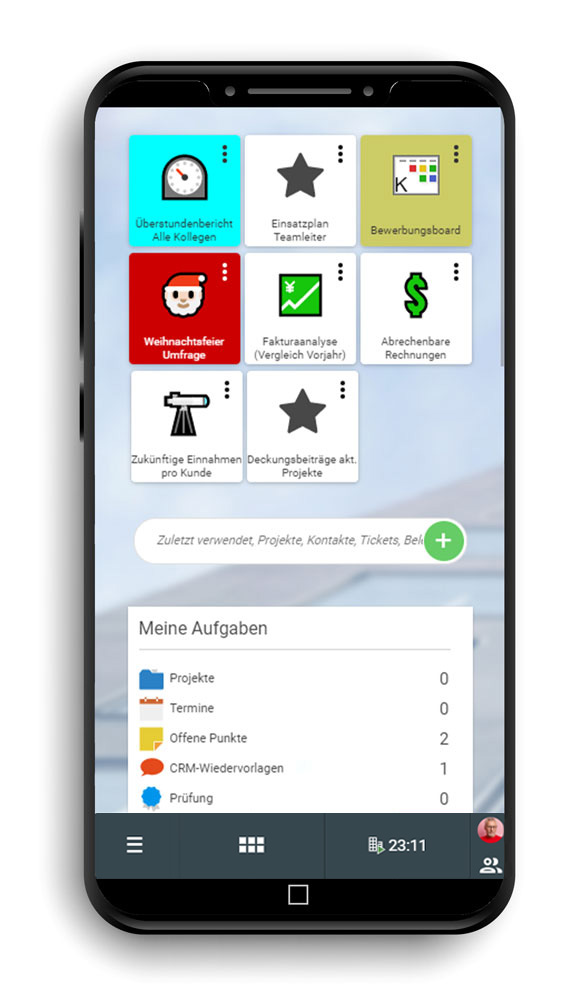
If you use projectfacts in mobile form, i.e. on a smartphone or tablet, you can look forward to a new optimised display. All controls have been improved for use on devices with narrow screens.
- Tiles are arranged vertically on the smartphone and are therefore easy to find and select by scrolling.
- The main menu opens in a separate context menu that slides in from the side of the screen. Simply select the desired menu item and jump straight there.
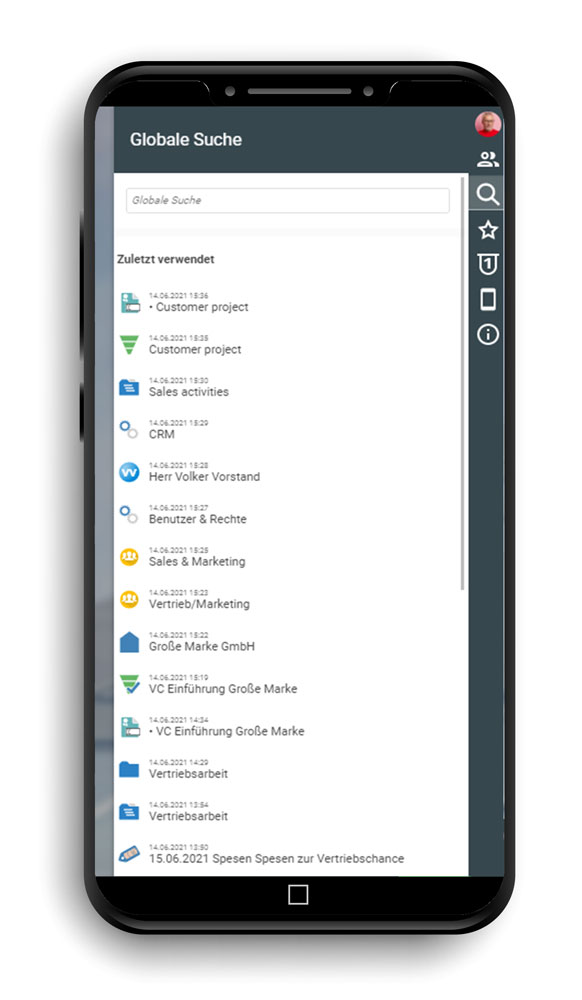
- You access the sidebar by tapping your profile picture at the bottom right. From there you can open the colleague overview, recently used elements etc. as usual.
- Lists and filters automatically adapt to the screen size. If not all columns fit on the screen, switch between the action area and main list by swiping.