
Customer portal software for support tickets
The self-service portal for support tickets. Integrate your customers directly into your ticket system. More efficient support and less administration!
Enquire nowWhat is customer portal software?
Customer portal software is a shared online portal through which a company integrates its customers and partners directly into its own ticket system. Via the self-service portal, customers create and track their support tickets themselves, see the current processing status and exchange documents, without having to follow up on every question.
As a complement to CRM software and contact management, the customer portal brings all your project and support communication with your customers together in one central place.
The advantages of a self-service portal at a glance
Self-service ticket portal
Customers create and track their tickets themselves and can see the current processing status at any time.
Individual access rights
You decide which tickets a customer may only read or also edit. Internal dialogues stay hidden.
Collaboration with partners
Shared file storage and project management for close work with customers and third-party providers.
Work together with your customers and partners
In service companies, projects are often carried out very closely with customers or partners over a long period of time. This results in a high level of coordination that is difficult to handle using conventional communication channels. A better solution for this is a shared partner or customer portal software.
The self-service portal for your customers
Your customers can use the portal to answer many questions that arise when working with tickets themselves:
How many of our tickets are currently being processed
What is the current status of our tickets?
Who is currently processing ticket XY?
This saves your customers from having to follow up and saves your employees valuable support time for the helpdesk.
Tickets instead of mails
If you receive e-mails from your customers, these can be converted directly into tickets on request and sorted into the appropriate ticket channel of the customer portal . For large projects in particular, it makes sense to give your customers access to their tickets. This makes it easy to see how many tickets are still open, in progress or completed.
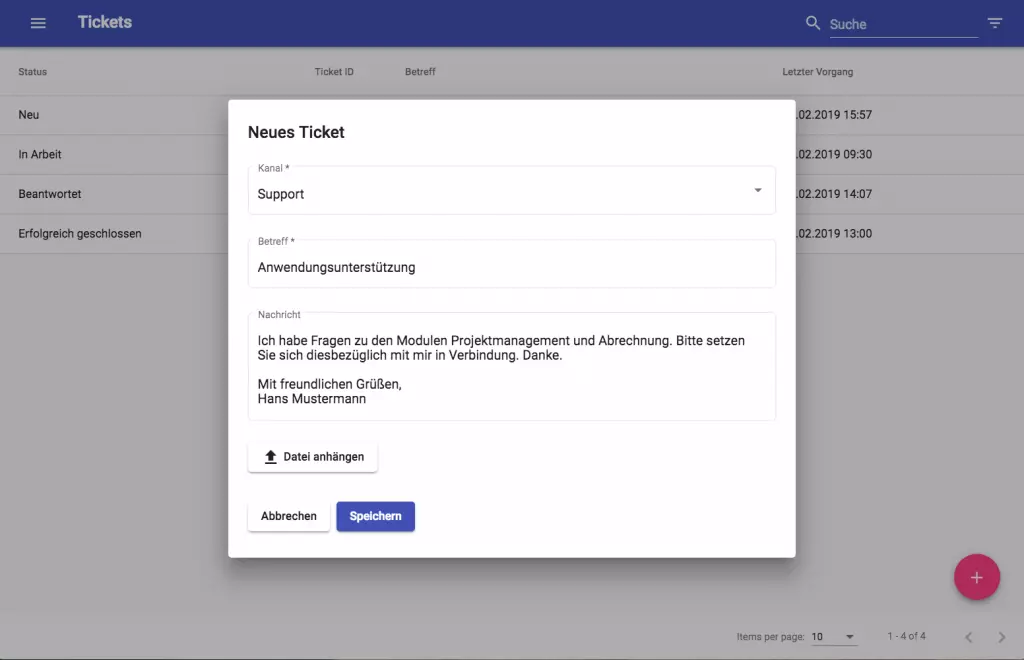
Individual access rights
Your customer only sees what you release to them. Internal dialogues within the tickets are not visible by default. For each response within the ticket, you can decide for yourself whether it may be readable via the external access or not. You can also specify whether tickets can only be viewed or whether the user of the access can also edit tickets.
For example, may they only see their own tickets or all tickets that originate from their company? May they only read them or also edit them ?
With the customer portal software, customers keep an eye on their tickets themselves
If you wish, you can see, for example, the person handling the ticket, the current status and the elapsed or remaining duration. The ticket overview in the external access can be customised to suit your needs.
Enquire now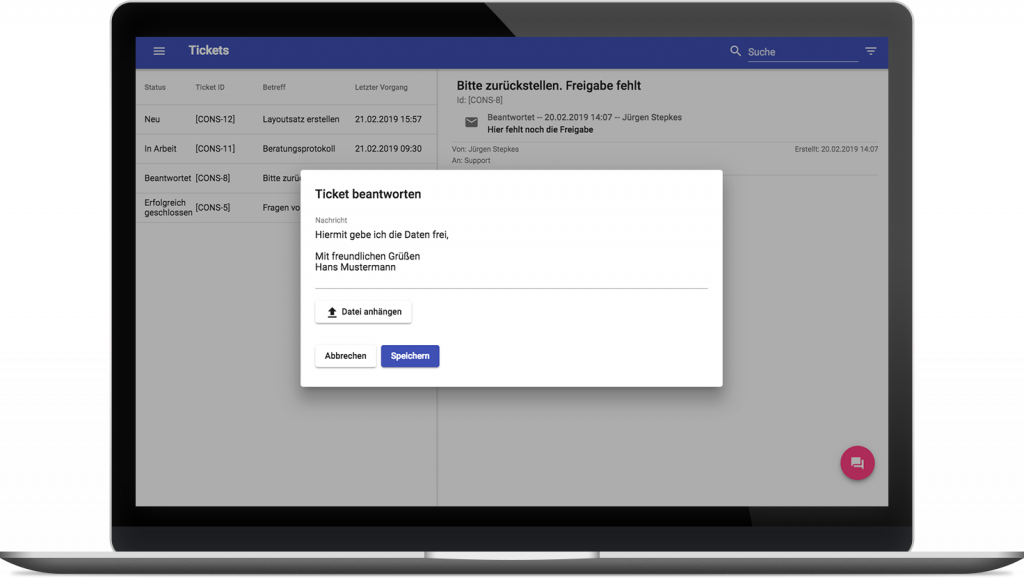
Working with partners and customers
File storage makes joint project work simple and convenient. Thanks to the external access, all team members involved have access to every important document at all times and can also edit them together.
Shared project management lets you outsource sub-projects that are taken on by third-party providers. At the same time, you still retain a full overview of your time and budget planning, because the sub-project remains integrated into your overall plan. The customer portal software supports you here.
Customer portal software at a glance
Smooth exchange
Shared customer portal for a smooth exchange
Own design
Individual design of the external access with your company logo
Central communication
Collected project communication in one central place and an overview of all tickets
Self-service
Let your customers create and edit their own tickets

Still have questions? We have the right answer!
Give us a call, send us an e-mail or take a look at our FAQ section! We are happy to answer your questions!