
Active Directory and LDAP
If you already run a user directory, you do not want to maintain a second one next to it. projectfacts checks the sign-in directly against your directory service, with the credentials your employees already have.
Enquire nowHow does the LDAP connection in projectfacts work?
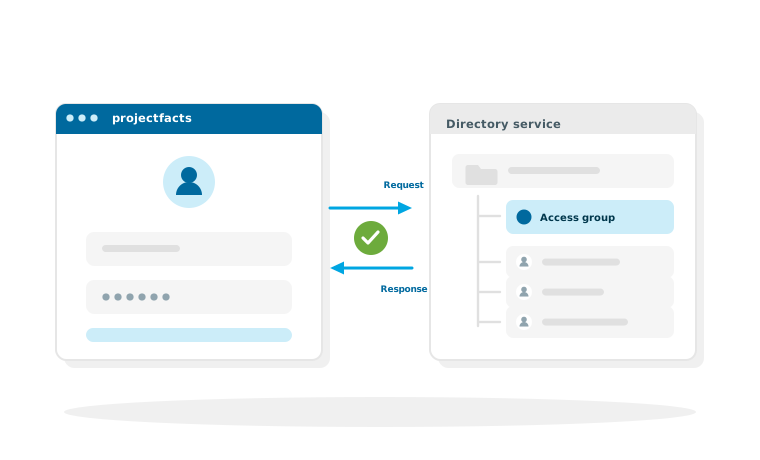
With an LDAP connection, projectfacts no longer checks itself whether a password is correct, but asks your directory service. LDAP is the standard by which such directories are queried; the best known of them is Microsoft's Active Directory.
For your employees, one thing above all changes: they sign in with the credentials they use for their computer anyway. For administration, more changes. Password rules, blocked accounts and group memberships are maintained in one place and take effect in projectfacts too.
What the LDAP connection is good for
One password for everything
Your employees sign in with the credentials from the directory service.
Access through groups
You control who is allowed to sign in through the group in the directory service.
Encrypted connection
On request the query runs over LDAP SSL with a stored certificate.
What the directory service controls
The connection governs two things: who can sign in and which group the access runs through.
The sign-in itself
projectfacts passes username and password on to the directory service and adopts its answer. If someone changes their password on the network, it applies here immediately as well. If an account is blocked, the person concerned no longer gets into projectfacts either, without anyone having to remember it.
Access through a group
The configuration defines which part of the directory is searched for users and which group is entitled to access. This lets you control through a group membership who may use projectfacts at all, one small step that is taken with every joiner and leaver anyway.
Signing in when the directory is unavailable
In case the directory service does not respond, an offline sign-in can be permitted for a defined period. That way your operations do not come to a standstill just because a server is restarting.
What the connection does not take on
One point that should be settled before the rollout, because otherwise it causes surprise later on.
Signing in is not user provisioning
The LDAP connection governs who is allowed to sign in. The users in the directory service are mapped to the projectfacts users; new employees do not appear in projectfacts by themselves as a result. If you need an ongoing transfer of user data on top of that, do talk to us; what is possible in your environment is something we clarify together.
Permissions stay in projectfacts
The directory service decides who gets in. What someone may see and do afterwards is still decided by the permission system in projectfacts. This separation is deliberate: business roles in a company software rarely follow the structure of a directory service, and anyone who couples the two ends up maintaining each against the other.
How the setup works
The connection is made in the configuration of your installation and is set up together with us. Your IT team brings along the details from the directory service.
What your IT team should have ready
The address of the directory server, the area in which users are to be searched for, the group that is entitled to access, and the authentication method you want. If the connection is to run encrypted, the server's certificate comes on top of that.
Then the mapping
After that, the users from the directory are mapped to the projectfacts users. With a first-time connection this is a one-off pass that can be dealt with in a manageable amount of time.
LDAP or single sign-on via Microsoft?
Both routes move the sign-in outside, but they start at different points. Which one fits depends on where your users are held.
How to decide
If you hold your users in a directory service on your own network, the LDAP connection is the direct route. If you work with Microsoft 365 anyway and the accounts sit there, single sign-on via Microsoft Entra ID is usually the shorter one, because there your employees sign in without entering a password again, as they are already signed in.
Which route makes more sense in your case is best clarified in advance. Running both at the same time is rarely necessary.
One directory instead of two user lists
In a free initial consultation we clarify which details from your directory service are needed and whether LDAP or single sign-on via Microsoft is the right route.
Request a consultationStill have questions? We have the answer.
Would your IT team like to read up on the parameters of the connection in detail? The technical description is in the help centre.