
Network drive via WebDAV
Not everyone wants to look for their files in a browser. With WebDAV you map the projectfacts storage as a drive and work there the way you have done for years, in Explorer or in Finder.
Enquire nowWhat is the WebDAV connection in projectfacts?
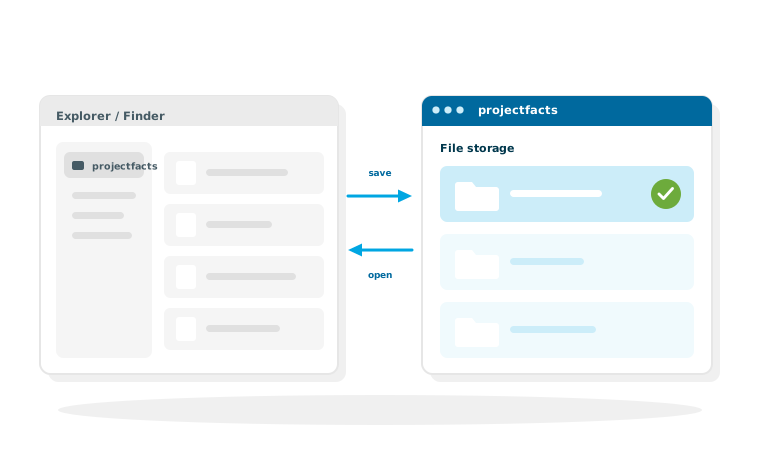
WebDAV is an open standard that lets an online directory be addressed like an ordinary drive. In projectfacts that means the folder structure from the file module appears in your operating system as a drive. You open, edit and save files in Windows Explorer or macOS Finder, and everything still ends up centrally in projectfacts.
The benefit lies less in the technology than in habit. A central file storage only catches on if it forces nobody to change the way they work. Someone who has opened their files through Explorer for twenty years will carry on doing so. The only question is whether that produces a shared directory or a local collection that nobody else can see.
What the WebDAV connection is good for
Familiar handling
Explorer and Finder instead of a browser. Open, change, save, just like any other drive.
Permissions still apply
Through the drive, everyone sees exactly the folders they are authorised for in projectfacts.
Versions are kept
Automatic versioning applies when you save through the drive as well.
What it changes in everyday work
Three situations in which the difference between browser and drive is genuinely noticeable.
Working with programs that know nothing about the web
A CAD program, an accounting package or a layout tool saves wherever a path leads. Through the drive that path is the central storage, with no detour via the downloads folder, from which nobody ever brings the file back.
Many files at once
Fifty photos from the building site or a whole project folder: copying in Explorer is simply faster than uploading one file at a time. Where the files belong afterwards is decided by the folder structure you maintain in file management anyway.
Documents in their project context
Because the storage is part of projectfacts, files hang off the items they belong to. A document does not sit somewhere on a server, it sits with the project it was created for. See project documentation.
Permissions, versions and access from outside
A drive looks plain, but it changes nothing about what is governed in projectfacts.
The permission system stays in place
Whatever an employee is not allowed to see in projectfacts does not show up in the drive either. There is no second permissions concept to maintain, which is the most common reason why shares on classic file servers drift apart over time.
Versioning
If someone saves a changed file, a new version is created instead of the old one being overwritten. That is particularly valuable where several people work on the same documents, and it saves you the usual file names with dates tacked on the end.
Access from outside the office
We set up external access on request, so the drive is available outside the company network as well. For the wider picture of working on files together, see collaboration.
Central storage, familiar handling
In a free initial consultation we show you how the projectfacts file storage can be integrated into your working environment and what to watch out for in the folder structure.
Request a consultationStill have questions? We have the answer.
Would you like to know how the drive is mapped on your machines? You will find the instructions in the help centre.