
CSV and Excel export
Every list goes to Excel at the press of a button. And for the reports that should look the same every month, you define a fixed report, one that does not change just because someone has shown an extra column.
Enquire nowHow do I export data from projectfacts?
Every list in projectfacts can be exported, with no preparation and without anyone having to set something up first. What you see on screen, you get as a file. That covers the bulk of everyday cases: a question, a list, an export, carried on in Excel.
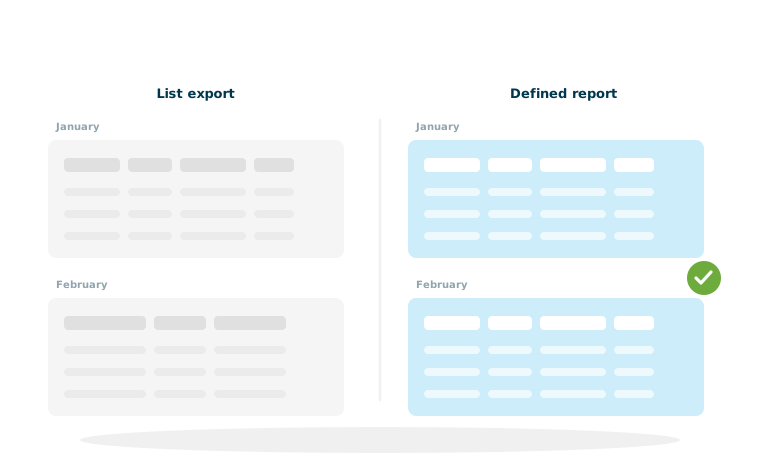
For reports that come round regularly there is a second route. That is precisely where the convenient export becomes the problem: it shows the columns that happen to be on screen. If a colleague shows or hides a column, next month's export looks different. For cases like that you define a fixed report.
Two routes, one goal
Any list, straight away
What you see is what you export, as CSV or Excel, with no set-up.
Defined reports
Fixed exports for Excel or PDF that always have the same structure.
Collected automatically
Defined reports can be picked up through the interface, without anyone clicking.
Why a defined report is more than an export
The difference sounds small, and in practice it decides whether a report stays usable in the long run.
The problem with dynamic columns
Lists in projectfacts are adjustable: everyone shows the columns they need for their own work. That is exactly what makes the simple export unreliable as soon as it is needed regularly. Export in January and again in February and you may well get a different file, not because the data has changed but because the view has.
The defined report is fixed
A defined report sets out in advance which fields are output and in which order. It stays the same no matter who produces it and how that person's list view happens to be set. Only then can you build something on top of it: an Excel template that reads the file in, a recipient who expects a particular format, or a report meant to be comparable month after month.
Excel or PDF
For further processing you take Excel, for handing on you take PDF. A report that lands on the table in a meeting or goes out to a customer is meant to be read, not edited, and for that a fixed layout is worth more than a spreadsheet.
Collecting defined reports automatically
The real gain comes when nobody has to click any more. Defined reports can be retrieved through the interface.
How it fits together
A report is defined once and then made available as a download source. Another system collects it from there, on a schedule, in the format agreed beforehand. That turns a manual export into a proper connection, without any programming of your own. How access and authentication at the interface work is described on the page about the REST API.
Why this is often the most pragmatic route
A full connection through the interface is more powerful, but it costs development, testing and running. A defined report that is collected automatically covers a large share of the cases where another system simply needs the same data on a regular basis, and it is set up in an afternoon.
The most reliable report is the one nobody has to remember
A report that someone has to export and send out every month will fail sooner or later. Usually just when that person is on holiday or has left the company. A run that happens by itself does not fail.
What this is needed for in practice
Three cases come up particularly often.
The monthly report to management
Revenue, utilisation, outstanding items: figures that are needed in the same form every month. As a defined report they are comparable, because they are always laid out the same way. Where the figures come from is shown in project controlling.
The file for a fixed recipient
An accountant, a customer or a group head office expects a file in a particular structure. For accounting data there is the DATEV interface; for everything else the defined report is the way to go. What that means in a group context is described under group integration.
The feed into another system
A reporting tool, a database or an industry application needs the same data regularly. Instead of a connection of its own, a defined report that is collected automatically is often enough. For further processing in a reporting tool, see Power BI.
Reports that look the same every month
In a free initial consultation we look at which reports you need regularly and which of them can be automated as a defined report.
Request a consultationStill have questions? We have the answer.
Would you like to set up a particular report, or find out how an automatic retrieval is configured? Talk to us, we are glad to help.