
AI features in projectfacts
projectfacts does not bring a language model of its own, you connect your own AI. That sounds like more effort and is in truth the reason why you keep control over your data.
Enquire nowDoes projectfacts have AI?
Yes, but differently from the way most providers currently advertise it. There is no language model built into projectfacts. Instead, an administrator stores the access details for an AI service of your choice, once. Only then are the AI features available.
That is deliberate. Anyone who builds a model firmly into their product also decides on their customers' behalf where their data goes and what it costs. With projectfacts you make that decision yourself: you choose the provider, you determine the model, you see the costs, and you can switch the access off again at any time. What artificial intelligence changes in day to day work is described in the article Artificial intelligence in the workplace.
The principles by which AI works in projectfacts
Your AI, your data
No built-in model. Your content goes solely to the endpoint you have stored yourself.
Only on request
Nothing runs in the background. The AI becomes active when an employee explicitly calls it.
Within your permissions
The AI only sees what the employee is allowed to see anyway. It opens no additional doors.
What the AI does for you today
projectfacts uses AI in the places where it takes a specific, recurring piece of legwork off your hands, not for its own sake.
Boiling long ticket histories down to the essentials
A ticket that has been running for weeks quickly has thirty entries. Whoever takes it over has to read into it first. The AI condenses the history down to the core: what it is about, what has already been tried, what is still open. That saves time at every handover, especially in the ticket system and in the helpdesk when colleagues on standby step in.
Putting reports into context
A report shows figures. Someone has to recognise what is remarkable about them. The AI looks at the data behind a report and names what stands out: an outlier, a trend, a value that breaks the pattern. As a pointer for you to follow up, not as a verdict. For the figures themselves, project controlling remains the basis.
What the AI deliberately does not do
These limits are not a gap in the range of functions, they are a decision. You should know them before you start planning.
It does not run in the background
There is no process that goes through your data at night and sends it to an AI service. Every call starts with an employee. That way it is traceable at any time what was transferred and why.
It does not complete processes
The AI supports, it does not decide. It closes no ticket, approves no leave and issues no invoice. Anything with consequences stays with a human being. That matters especially where deadlines, money or HR data are involved.
It does not bypass permissions
What an employee is not allowed to see, the AI does not see on their behalf either. You need no second permissions concept for it: the one you maintain anyway applies.
How the AI is connected
Setting it up is a job for an administrator and is done in a few minutes. It applies to the entire client, not per user or per module.
Four details are enough
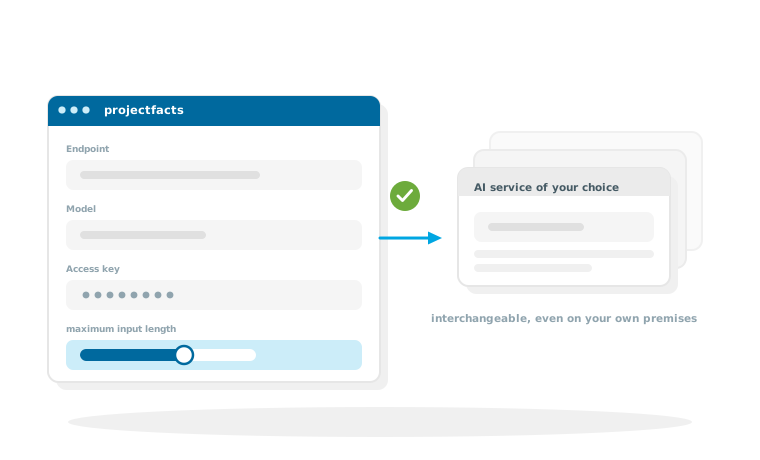
You store the endpoint to which projectfacts sends its requests, the exact name of the model at your provider, the access key and a maximum input length. The connection is then activated, and the AI features appear in their places in the interface.
Why the input length is an important setting
The maximum input length limits how much text is transferred per request. It works in two directions: it caps the costs, because providers charge by volume, and it limits how much content your organisation passes to the outside at all. A typical value is around 50,000 characters. Check whether it fits the limits of the model you have chosen.
A model on your own premises is possible
Because only an endpoint is stored, projectfacts is not tied to a particular provider. If you run a model yourself, you enter its address. The access key is optional in that case. For organisations with high requirements as to where their data stays, this is the route on which nothing leaves their own network.
AI inside the system and AI from outside
Alongside the AI features inside projectfacts there is the opposite route: an AI assistant that accesses projectfacts from outside.
Two routes that complement each other
The AI features on this page run at fixed points in the interface and take a particular piece of work off your hands there. The MCP server goes the other way round: your assistant asks a question, and projectfacts supplies the data for it. One is a function inside the program, the other an access route to the outside. Both require you to connect an AI of your choice.
Use AI in your own organisation without giving up control
In a free initial consultation we clarify which AI service fits your requirements and at which points its use really saves work in your business.
Request a consultationStill have questions? We have the answer.
Would you like to know how the AI connection is set up, or which features are currently available? Talk to us.