
The online project calendar for your team
Plan appointments with the online project calendar. See important project events in the calendar and plan team meetings easily online.
Enquire nowWhat is a project calendar?
A project calendar is a central online calendar that brings together a project's appointments, milestones and tasks in one place and links them directly with the project planning. This way, all team members can see important project events, deadlines and absences at a glance and coordinate appointments without friction.
Unlike a loose team calendar, the projectfacts project calendar works as a project planner with a calendar view and, at the same time, as a team scheduler: order planning, milestones and personal appointments all come together in a single view.
The project calendar – made for team projects
Schedule coordination is an important building block for your team's success in project work. Nevertheless, it is not uncommon for things to get stuck at precisely this point:
- Because different tools are used (Outlook, Google or Teams calendar, etc.)
- Because appointments are not synchronized automatically or incompletely
- Because the team calendar works independently of your project
All in all, these reasons make teamwork with online calendars more tedious than helpful. You can remedy this with projectfacts. The key to this is the integrated approach of the project software:
Fully networked
With projectfacts, you only need one central system for all your project work. The project calendar is available to you and your team online anytime and anywhere. In addition to project deadlines, vacation, illness, home office and much more are also immediately visible.
All project information
In projectfacts, you will automatically find important project events in your calendar. These include, for example, milestones for individual projects or global milestones that apply to all project teams. You can also see the current project phase directly.
Outlook synchronization
Synchronize your projectfacts project calendar directly with Outlook. Thanks to the cloud connection, your team always has emails and appointments with them. And not just on the PC, but also on almost any mobile device. This is how flexible project management works.
A customized calendar for your projects
Thanks to the intelligent networking that projectfacts creates, your calendar also knows exactly what your projects are at all times. Because the projectfacts calendar is more than just a scheduling tool. It helps you with the project planning itself. Align your appointments directly with the work breakdown structure, transfer work packages to your personal calendar and much more.
- A central online project calendar for your team planning
- Fully networked and synchronized with your business processes
- Effectively link schedule coordination with project planning
Manage your projects effectively with the project calendar
Manage not only your appointments with the project calendar, but also see important project events at a glance. Thanks to synchronization with Outlook, Mac and smartphone anywhere and anytime.
Enquire nowScheduling made easy thanks to online project calendar
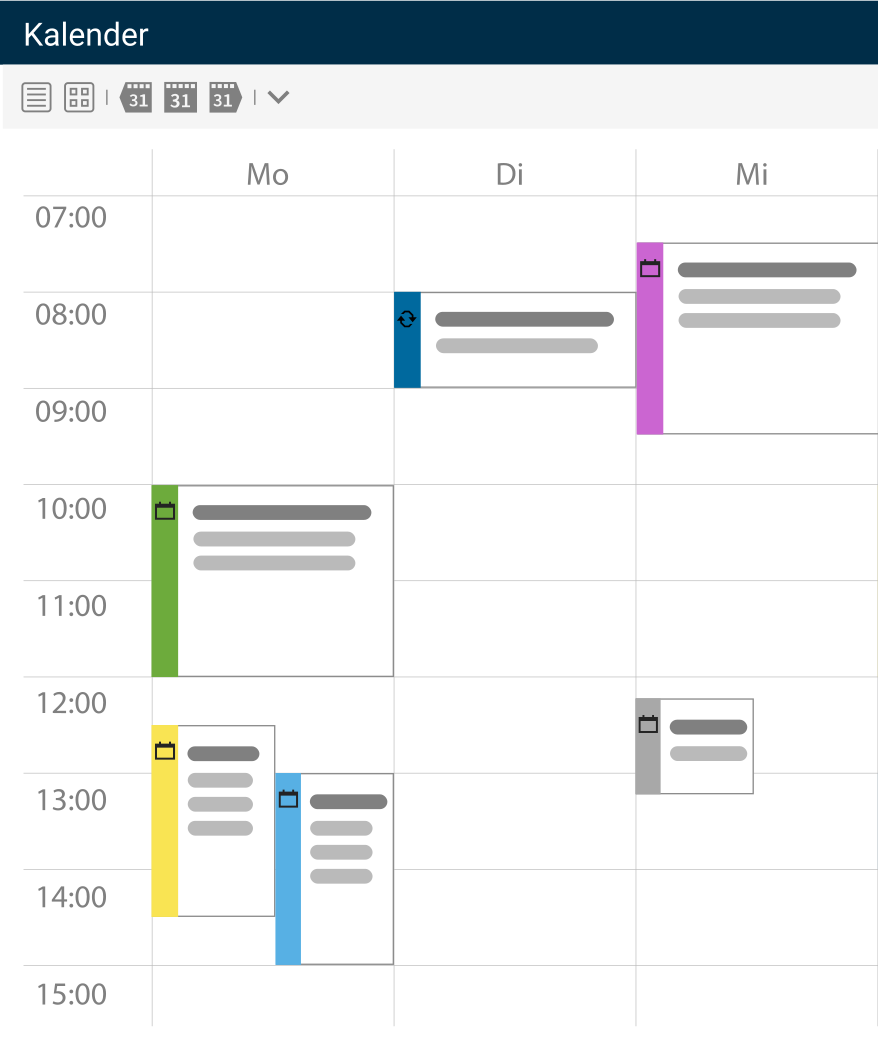
Simply create appointments
You can not only create appointments manually. Calendar entries can also be easily transferred from other elements in projectfacts, e.g. tickets or project modules. This makes scheduling much easier.
In addition, all important information is automatically transferred. This means you always know exactly what the reason for the appointment was and who your contact person is.
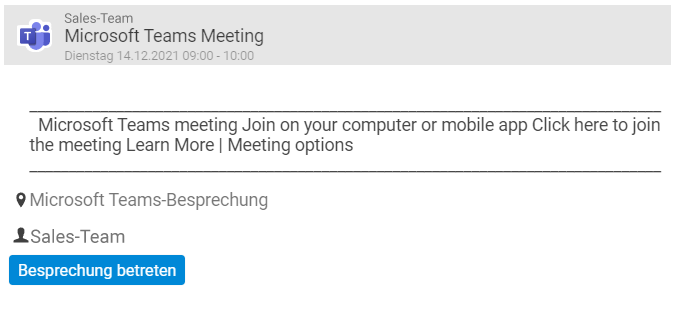
Integration with Microsoft Teams
projectfacts and Microsoft Teams are networked with each other. Simply create your Teams meetings in the projectfacts calendar and add the participants. You can also conveniently join the meeting via the calendar entry and don't have to search for the meeting URL.

Send invitations
Of course, you can use the online project calendar not only internally. Appointment invitations can be sent directly to external partners via the system, as is usual with Outlook.
Microsoft even sends out invitations for your Teams appointments automatically. Even if you make changes to the appointment (e.g. the time or description), your participants will be informed automatically.
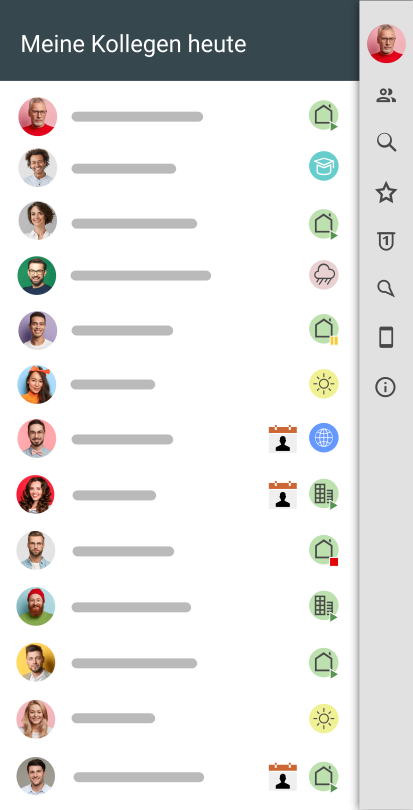
Always informed about vacations, illness, etc.
In the project calendar, you can also see when your colleagues are absent. This applies to external appointments as well as vacation, illness or home office. This means you always know who is working where or is currently unavailable and save yourself the trouble of asking. You can also display the birthdays of your employees and customers. Without any additional work.

Manage private appointments
The visibility of your appointments can be individually restricted. You can decide for each appointment individually which colleagues can see which information about your appointments. Private appointments remain private; in this case, only a private block is displayed in the project calendar.
Test the online project calendar for your team too
Thousands of users already rely on the projectfacts calendar. Benefit from the advantages for your team and start right away with your personal test account.
Enquire nowPrepare and manage appointments
You are probably familiar with little annoyances like the following: Your calendar contains the entry "Call customer Ms. Mustermann". But nothing more. The customer's telephone number is missing, as is the subject of the call.
The more appointments you manage in your online calendar, the more unnecessary points of friction accumulate. We offer you a central system for all processes in your company. Our project calendar creates intelligent connections that make your work easier.
Project management
By linking project management, time recording and CRM, you have all the information directly at your fingertips. If you add the customer from your CRM system to the appointment as a participant, you will immediately see all the relevant contact details – including the phone number you are looking for, of course.
CRM
A seamless switch to the CRM system: Here you can view the latest status of all agreements with the customer and also gain an insight into the ongoing project. In this way, you can quickly and easily find a mental connection and are optimally prepared for the appointment.
Telephone interface
Thanks to the telephone interface, the call and the call partners are automatically documented – regardless of whether you are on a landline in your office or using Microsoft Teams. Simply add a short summary or enter a follow-up appointment.
Time recording
Time recording is also networked in such a way that you can assign working times to your project appointments. For example, if it is a billable consulting service within your project, you can simply add the service to the next invoice.
Intelligent networking with your processes
The integrated team calendar from projectfacts is a fully-fledged online calendar designed to support you in your project and team work. It provides you with all the functions you need for organizing appointments in networked teams.
You can use the team calendar particularly effectively in combination with the following projectfacts modules:
Document project times
Recording your employees' working hours will soon be mandatory. Simply use this to your advantage by integrating recorded working times into your project planning. This allows employees to book time directly onto their calendar appointments, for example a customer visit. This gives you valuable information about the actual working time spent on your projects and you can use this for your controlling.
Customer information at a glance
Are you or your employees often on customer appointments? Then reliable online appointment scheduling is essential. The CRM module helps you to view all information about your customers at a glance. See all processes, receipts and much more directly over time. You can keep an eye on ongoing customer projects via the project calendar or the project management tool. This means you are always optimally prepared for customer appointments.
Project calendar at a glance
Online calendar
Fully-fledged calendar that can also be used on the move
Intelligent networking
Combine project management, CRM and much more.
Automatic reminder
Don't miss any important project events such as milestones
Absences
Sickness, vacation, home office are centrally visible
External & internal appointments
Manage internal and external, private and professional appointments with one tool
Authorizations
Visibility of appointments can be restricted individually
Still have questions? We have the right answer!
Give us a call, send us an e-mail or take a look at our FAQ section! We will be happy to answer your questions!