
Multi-project management software
Successfully plan and manage multiple parallel projects. Maintain an overview with the projectfacts multi-project management software.
Enquire nowThe software for your multi-project management
Multi-project management refers to the central planning, management and control of multiple projects running in parallel within one system. Instead of viewing each project in isolation, you keep track of deadlines, budgets and cross-project resources across your entire project portfolio.
projectfacts is the all-in-one software for your multi-project management. It is a proven tool for planning, managing and controlling multiple projects running in parallel. Maintain a complete overview of costs, deadlines, milestones, project phases and resources.
Multi-project planning
The more projects you manage in parallel, the more complex [project management](/project-management/) becomes. projectfacts supports you effectively in multi-project planning: What should be completed by when? What is the budget? How does collaboration work? Which team member will take on which task? Are there any overlaps in the resources used?
Manage resources
With projectfacts, you can plan employee capacities across several projects. You avoid overlaps and optimise the workload of your team. Plan capacities on a daily, weekly or monthly basis. If necessary, you can flexibly redistribute capacities with the help of the scheduling assistant.
Monitor projects
Maintain an overview of your entire project portfolio. Identify conflicting time and budget restrictions in good time and prioritise your projects. The software offers you many tools for this, such as global milestones, automatic warning systems and other controlling tools.
Manage multiple projects with a multi-project management tool
A large number of potential dependencies must be taken into account between projects. It is important to maintain an overview and be able to react flexibly to changes at all times. projectfacts supports you in this with a variety of mechanisms. These information and control options form an ideal basis for your multi-project management. This allows you to manage several parallel projects in a timely and economically successful manner.
- Prioritisation of projects
- Clear multi-project organisation via project types and hierarchical project directories
- Use of project-specific and global milestones
- Higher-level resource and capacity planning
- Extensive controlling functions
- Warning systems when budgets or schedules are exceeded
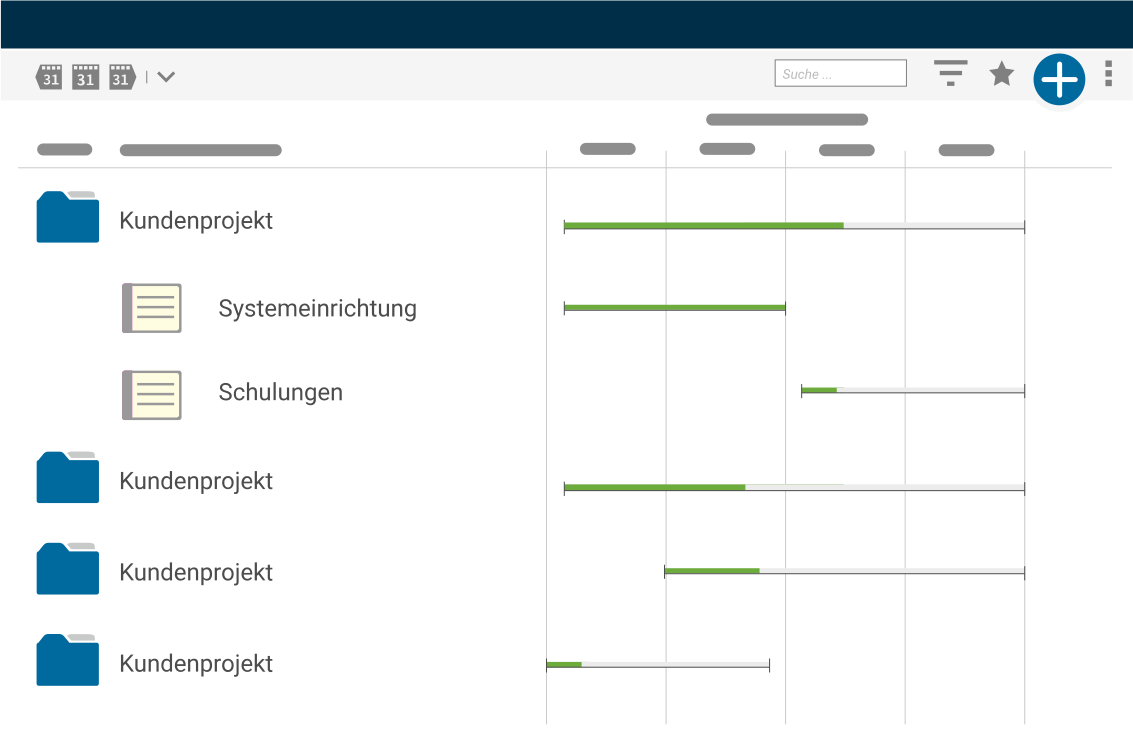
Manage all your projects – in one software!
Easily manage multiple parallel projects in one system. This allows you to maintain an overview and bring your projects to a successful conclusion. Try it out for yourself.
Enquire nowYour tool for project portfolio management
You need qualified employees for your projects, you have to meet agreed deadlines and complete your projects within the respective budgets. Overlaps are the order of the day, and collaboration between teams can become complicated.
To avoid these, set the right priorities and bring projects to a successful conclusion, you need a functioning project portfolio management system.
- Where are there scheduling overlaps between projects?
- Which project-related and which global milestones are to be achieved by when?
- Which tasks have already been completed and which still need to be done?
- Where are there free resources that can be allocated to projects?
Structuring projects with the multi-project management software
With projectfacts, you always have an overview of all projects – even without being involved in any of them. You can easily switch between a complete project overview and a view in which only projects in which you are currently involved are listed.
Project types or directories
Project types and directories can be comprehensively configured with a rights system. This ensures that you have a complete overview and your employees have exactly the access they need.
Project directories for a better overview
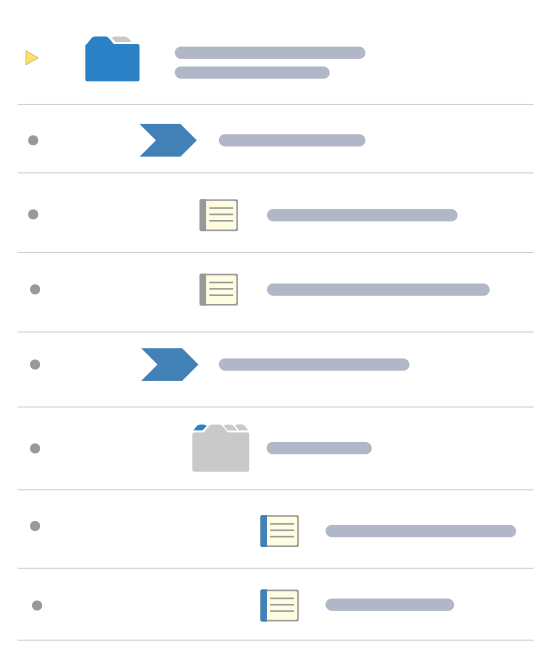
Project directories serve as a folder structure for your projects. This allows you to further structure individual projects within a project type in the same way as in your operating system. For example, create different releases in the project directories under the "Development" project type and bring order to your projects.
Project types for recurring projects
You can create project types for recurring projects. New projects then automatically adopt the structure of the template. This saves you duplicate work. For example, you can differentiate between internal and external projects or define the project types by trade or team.
Keep track of your projects!
Discover the options that allow you to manage your projects effectively, allocate resources in the best possible way and monitor project success – all in just one system.
Enquire nowDynamic resource planning with the multi-project management software
Project controlling and management
One of the challenges of online multi-project management is keeping track of all important project events and setting the right priorities. You need to be able to react flexibly to changes at all times and still plan for the future.
projectfacts supports you in this: warning systems, controlling functions and the budget status provide the ideal basis for your project management. This allows you to manage your projects successfully.
Plan resources dynamically
Only when resources and capacities are considered across all projects can bottlenecks be identified and countermeasures taken. projectfacts shows you which capacities can still be planned.
You can also see the general workload of your employees and planned absences at a glance. [Resource planning](/resource-planning/ "Continue to resource planning") takes into account short-term tasks and long-term workloads. This ensures ideal capacity planning for multi-project management in your company.
Multi-project management at a glance
Control your projects
Manage projects safely, successfully and effectively with multi-project management software
Everything in view
Deadlines, tasks, costs, resources, targets – and the status quo
Avoid bottlenecks
You can see immediately where there are scheduling overlaps or personnel bottlenecks
"We put individual solutions for our customers at the heart of our services. projectfacts helps us coordinate our 12-person team and manage all our projects. Tasks can be assigned simply and conveniently without us losing track." – hoerl Information Management GmbH

Still have questions? We have the right answer!
Give us a call, send us an e-mail or take a look at our FAQ section! We will be happy to answer your questions!