
The web-based project planning software
With the project planning software from projectfacts, you always have an overview of your projects. Plan down to the last detail, classic or agile.
Enquire nowOnline project planning with the projectfacts tool
Project planning brings with it a number of challenges that determine the success of a customer order. Budgets need to be optimally utilised, employees need to be utilised sensibly and important milestones need to be met in order to simplify billing.
Since projects rarely go according to plan, you need software that is as flexible as you are. With projectfacts, you can plan according to your needs: detailed or rough planning, long-term or in individual project phases. You have all the tools you need to manage your projects efficiently and make your work easier. On site or mobile and online on the go.
What is a project planning software?
A project planning software is a tool with which you plan projects in a structured way, allocate tasks and resources and keep an eye on deadlines and budgets. As a web-based tool for project planning, projectfacts brings together the work breakdown structure and the planning of time, capacity and costs in one system, usable anywhere in the browser.
Project planning is part of the entire project management process and moves seamlessly into control, controlling and billing.
WBS, agile or both
With projectfacts, you can plan your projects with a classic work breakdown structure (WBS), with Scrum or Kanban boards or with a combination of both. In each case, the project planning software is tailored entirely to your preferences and the requirements of the project.
Flexible project planning
With sub-projects, phases, milestones and work packages, you have all the tools you need for flexible project planning. This makes it easy to plan and process several projects in parallel. Enjoy maximum flexibility.
Dynamic capacities
You can flexibly allocate your employees' capacities to projects. The scheduling assistant helps you to find the optimum workload. If you do need to reschedule, you can easily and dynamically reallocate capacities.
Flexibility for your online project planning
In the course of a project, challenges often arise to which you need to react flexibly. This is precisely why projectfacts supports you along the entire process chain when planning and implementing your projects. Just as important is the management of the ongoing project. With projectfacts, you can realise both tasks in just one software with projects as the planning unit. Adapt your project plan to your needs.
- Plan your project classically or agilely with Scrum, Kanban and co.
- Define work packages, predecessors, successors and responsibilities
- Structure your project with project phases, sub-projects and milestones
- Set individual time and cost budgets
Test the projectfacts online project plan software
Create your project plan in no time with the right tools. projectfacts helps you to draw up a plan for your project in just a few minutes. Try it out right away!
Enquire nowPlanning projects online – classic or agile
You can start planning your project in projectfacts with a work breakdown structure (WBS) or agilely – according to your preferences and the requirements of the project. To ensure that all project partners have the same level of knowledge, you can also give customers access to your planning if you wish, without the hassle of exporting.
Classic project planning with work breakdown structure
Use the work breakdown structure to plan your project in sub-projects, work packages and phases. Enjoy all the freedom you want from a project planning tool and experience how the project can act as an organisational structure.
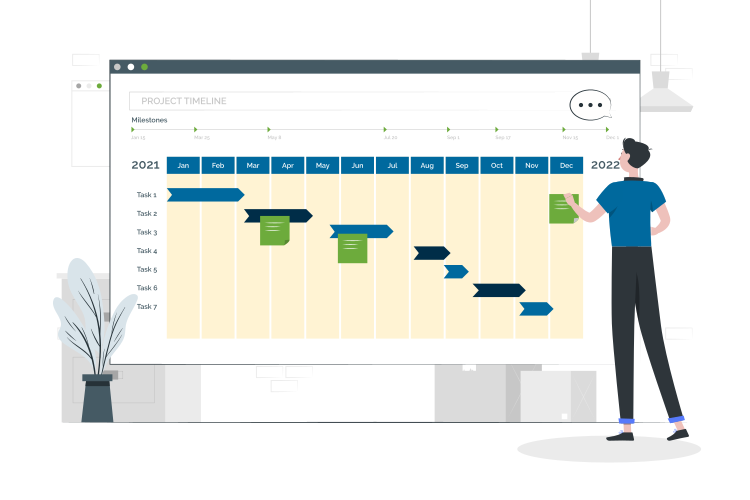
Sub-projects
Sub-projects give you the opportunity to divide the main projects into smaller projects. This allows you to organise your projects more specifically, assess milestones more accurately and plan resources more effectively.
Phases
Phases are another structuring element that divides your project planning into successive time blocks, e.g. planning, implementation, testing. This means you always know how far the individual phases have progressed and which steps still need to be completed in which phase.

Work packages
Work packages are a central element in every work breakdown structure, as they mark the individual tasks that need to be completed during the course of the project. In projectfacts, you can not only plan work packages flexibly, but also work with them directly.
Milestones
Milestones are important indicators of your project progress. They mark the achievement of certain self-contained interim goals. In projectfacts, you can not only define individual milestones per project. You also have the option of creating global milestones that are valid across several projects.
Project sequence and project schedule under control
With projectfacts, you map the complete project sequence: from the initial idea through the project schedule to completion, you keep an eye on every phase. The project schedule links work packages, predecessors and successors into a clear order, so that everyone in the team knows which step comes next. This turns a rough project sequence into a robust plan that you can adapt at any time.
- Display the project sequence visually as a Gantt chart or board
- Define dependencies between work packages in the project schedule
- Schedule milestones and phases along the project sequence
- Adapt the project sequence at any time when priorities change
Agile project planning with boards
If you prefer an agile way of working, projectfacts also provides you with all the necessary tools. The central element of agile online project planning is usually a board on which all team members involved can view and move their tasks.
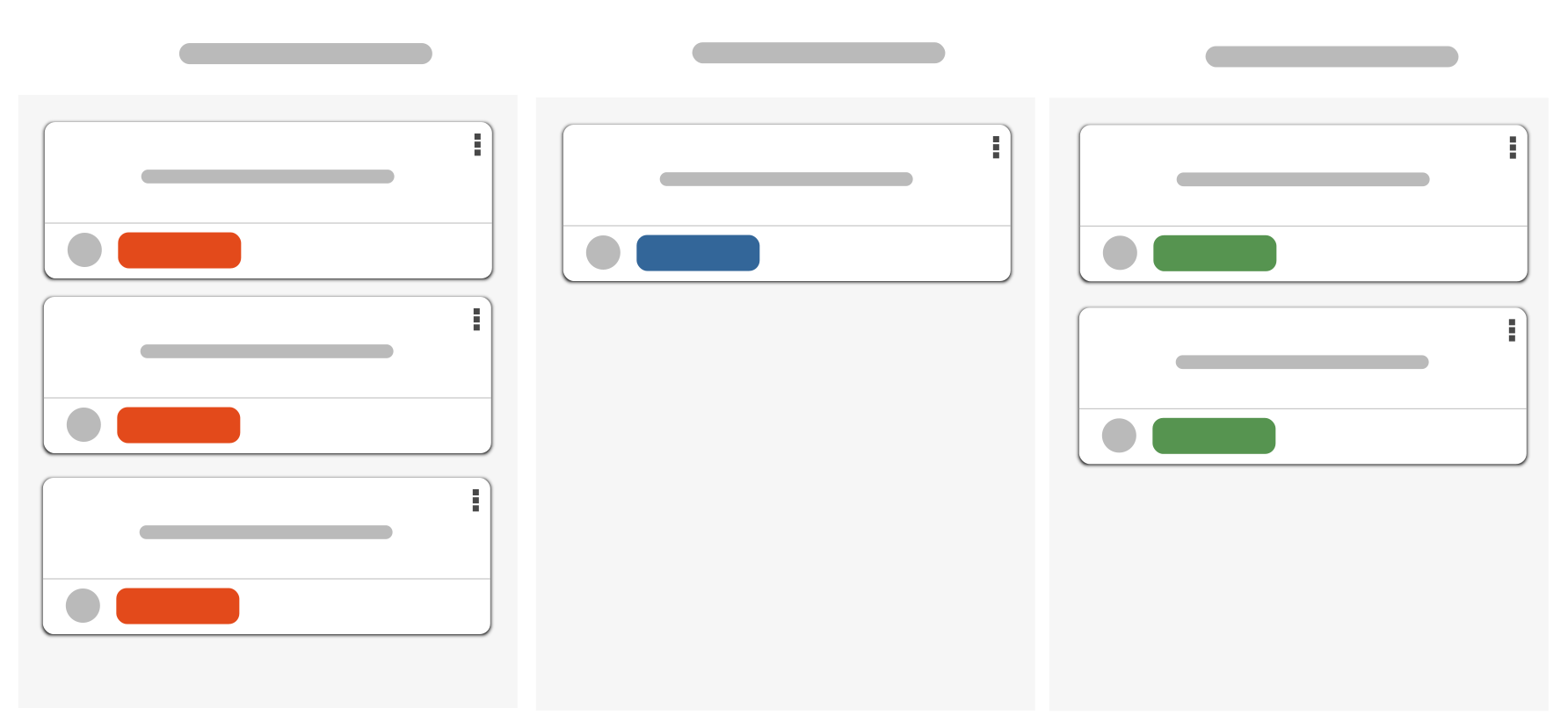
Scrum, Kanban and Co.
With projectfacts, you can create boards and adapt them to your individual needs. You are not tied to a specific planning philosophy. Whether Scrum, Kanban or your very own style. With projectfacts, you and your team can work exactly as the project requires.
Simple and intuitive handling
You can organise and process all tasks, deadlines and projects with Scrum and Kanban boards – intuitively via drag & drop. Add more colleagues to your board as required. With the integrated board history, you can also keep track of which change was made when and by whom at any time.
Agile & classic project planning combined
If you wish, you can even combine both planning tools. To do this, simply link your board to an existing project. The work packages that you have previously created in the work breakdown structure are now automatically transferred to your board. The result: maximum flexibility for your project work.
- Plan your projects agilely with projectfacts thanks to Kanban and Scrum boards
- Agile task management with free rows, columns and drag & drop
- Keep an overview with the board history
- Automatically transfer work packages from the WBS to your board if required
Get started with projectfacts – your software for online project planning
Create your project plan in no time with the right tools. We can help you draw up a plan for your project in just a few minutes. Try it out right away!
Enquire nowDynamic online project planning
In addition to tasks and times, projectfacts can also be used to plan capacities and budgets. Divide your employees according to available person days and define cost budgets for sub-projects. This allows you to ensure that company goals are achieved across multiple projects. An unbeatable advantage for your multi-project management.
Specify times and budgets
Plan the time horizon for your project and for individual sub-projects or work packages. You can also specify individual budgets and carry out target/actual comparisons.
Distribute tasks in the project team
Assign processors and responsible persons to your sub-projects and work packages. This way, everyone in the team knows what they have to do and you keep an overview.
Dynamic capacity planning
With projectfacts resource planning, you can distribute capacities within your team. You can also adjust these at any time during the project if circumstances require it.
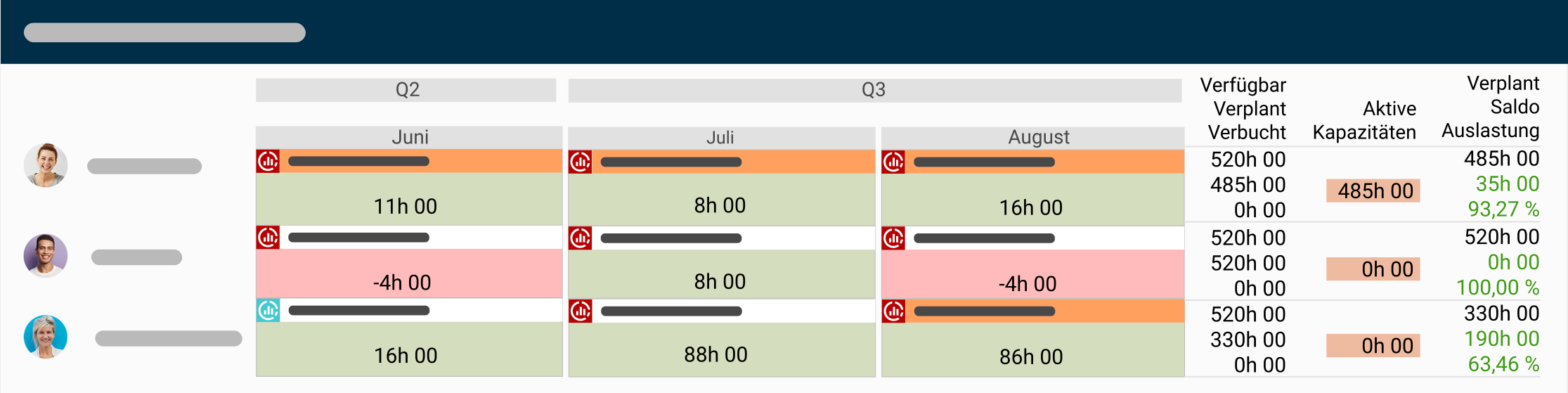
Project planning at a glance
The all-in-one solution for project planning
Work breakdown structure, agile or combined
Comprehensive planning options
Sub-projects, work packages, milestones, project phases and much more.
Integrated resource planning
Times, costs and people can be adjusted at any time
Intelligent warning systems
So that you can intervene at an early stage if necessary
Still have questions? We have the right answer!
Give us a call, send us an e-mail or take a look at our FAQ section! We will be happy to answer your questions!