
Project board software for individual boards
Design individual boards and digital sticky notes with the project board software from projectfacts, flexibly and on the move. Test now!
Enquire nowWhat is a project board?
A project board is a digital board on which tasks are organised as cards and sorted by status, responsibility or priority. In projectfacts, you create individual boards freely according to your needs: you define the columns and rows yourself and keep all your to-dos in one place.
Kanban boards and Scrum boards are proven special forms of the project board with a fixed structure. If you need more freedom, the project board software from projectfacts lets you combine any criteria into your own digital boards and task boards.
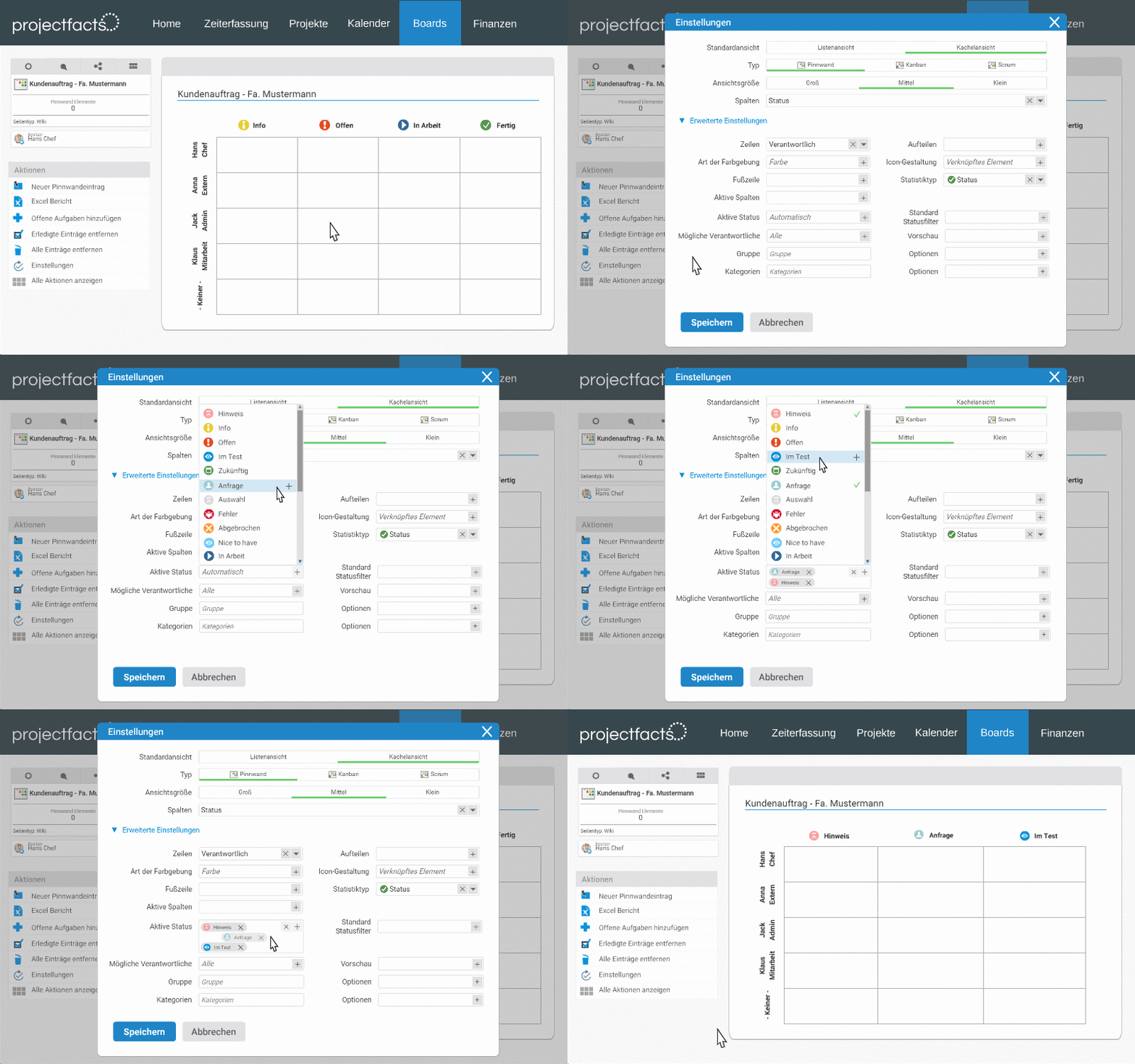
Decide for yourself – design your own boards online
Tools such as Kanban and Scrum boards enable flexible and modern task planning, but even these tried-and-tested tools can reach their limits in the face of rapidly changing work requirements.
That's why projectfacts not only provides you with these tools, but also allows you to create your own customised boards that meet your exact needs. Organise tasks according to different criteria and determine column and row content. This gives you complete freedom to combine the most important information in your personal pinboard.
Advantages of individual project boards
Individual design
With the individual boards in projectfacts, you have full control over how you organise your work. Would you like to assign tasks to employees? Or to teams? Should they be sorted by industry or product? No problem thanks to the flexible setting options. Your board is guaranteed to look the way you want it to.
Attach notes & elements
Pin notes – like sticky notes from the analogue world – to your board. You can also add projectfacts elements such as tickets, invoices, contacts or appointments simply by drag & drop and then move them around on the board as you wish. This gives you and your team maximum freedom.
Smart workflows
Define individual workflows for projects and tasks. This ensures that predefined steps are always processed completely and correctly. You always have a complete overview of which task is currently in which status and can find out further details at the touch of a button.
Discover our digital sticky notes 2.0
Status and priority
Task planning via pinboard gives you a quick and easy overview without losing sight of the details. Get immediate information about the status or priority of tasks.
Responsibilities and deadlines
Get an overview of which colleagues are responsible for which task. Never miss a deadline again by assigning due dates to your tasks. Categorise your to-dos using different colours to increase clarity.
Free combination options
Or why not all at the same time? Projectfacts offers you a wide range of combination options for your individual boards. Create and use the right tool for every task.
- View status, priority and responsibility at a glance
- Simply assign colours, categories, information and due dates
- Create clear and effective workflows with our board software
Organise yourself and your teams online with boards
You lose track of your sticky notes, but you can't do without them? projectfacts enables you to optimise your cherished habits of self-organisation in digital form.
Create notes on your personal pinboard and assign priorities to them or change the task progress using a simple drag-and-drop method. This means you never lose track of your to-dos again and gain time for implementation – and space on your desk.
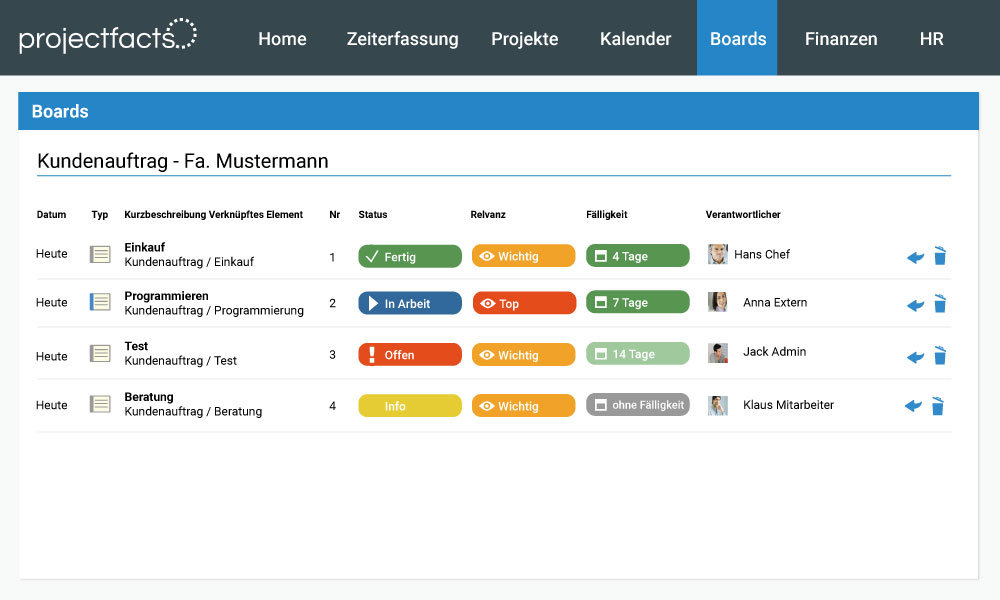
Advantages of individual boards
Configurable
Free according to your wishes
Plan and work flexibly
Thanks to intelligent workflows
Countless possible combinations
In the presentation
Direct insight
In progress and successes
Design boards the way you need them – with your software for individual boards
With the tool for individual boards from projectfacts, you have all options open for board design. See for yourself and test projectfacts!
Enquire nowStill have questions? We have the right answer!
Give us a call, send us an e-mail or take a look at our FAQ section! We will be happy to answer your questions!