
Software for quotation preparation, approvals and sending
Accepted quotations become an order, a project and an invoice, without entering a single item twice.
Enquire nowWhat is quotation preparation software?
Quotation preparation software is a program that companies use to write, calculate, internally approve, send and track quotations digitally. It draws on article catalogues, price lists and templates and accompanies every quotation from the first draft through approval to conversion into an order. This way, the entire quotation management runs in a single piece of software.
The terms quotation software, quotation program and software for quotation preparation all mean the same thing.
As quotation preparation and quotation management software, projectfacts bundles the creation, the tracking and following up of open quotations and the conversion into orders in a single solution. And it need not stop there: the same software also supports the handling of the orders and the billing of the projects.
Your software for quotation preparation: fast, efficient and flexible
Quotation preparation is an important part of customer acquisition. As quotations play such a central role in sales development, companies leave nothing to chance when writing quotations.
However, careful quotation preparation takes a lot of time. Quotations go through several revision cycles in the sales process in which new information is added. As online software for quotation preparation, projectfacts helps you with the following:
Write quotations faster
With the projectfacts software, you can write quotations quickly, efficiently and securely. You can see an overview of already created quotations and track their status.
Prices & discounts
Access your article catalogues and price lists when creating quotations. Changes can be made flexibly. This allows you to work consistently in your quotations.
Check & approve
Submit the quotations you have created in the software for checking. The reviewer automatically receives a notification and can give their approval directly in the system.
Write and send quotations online
With the online software for quotation preparation from projectfacts, you simplify your processes: with the help of suitable templates, you can create quotations quickly and easily online. If you wish, you can design your quotation exactly the way you want it.
You can draw on price lists, your article catalogue and individual layouts as you go. This way, you can create convincing quotations in no time and send them directly from the system.
Not every quotation is a plain list of items. Alongside the commercial quotation you can produce a Word document with continuous prose and send both together, so the customer receives the written-out proposal and the costing in one go.
- Choose from predefined quotation templates.
- Access your stored articles and services.
- Customise the description of quotation items as desired.
- Change quantities or prices individually for quotation items.
- Combine different billing methods: fixed price, daily or hourly rates.
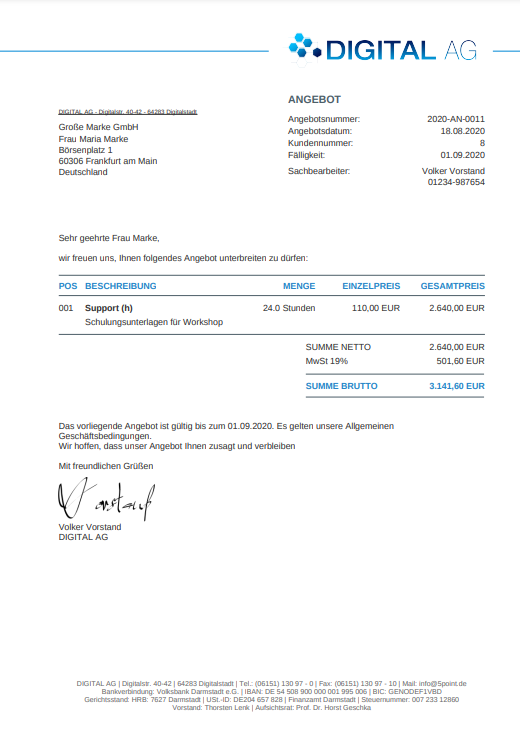
What a finished quotation looks like
Quotation number, customer details, items with quantity and unit price, plus the net, VAT and gross totals: the quotation leaves projectfacts as a finished PDF in your layout. Addresses, number ranges and the footer are pulled from your master data, so every quotation is built the same way.
From quotation to order, to project, to invoice
Most programs for quotation preparation end with the moment you hit send. In projectfacts, the actual work starts there, because quotation, order, project and invoice all build on the same items. An example shows what that means day to day:
Example: an IT consultancy quotes 120 hours
An IT consultancy writes a quotation for 120 hours, split across 8 items. Once the customer places the order, projectfacts turns it into 8 work packages, each with its own hour budget. Every hour booked counts towards the budget of the matching item.
If item 5 sits at 80 per cent, you see it before the budget runs out. At the end of the month you invoice the progress achieved, without transferring items a second time. No retyping, no spreadsheet on the side, no forgotten item.
Illustrative example. The number of hours and the split into items are freely chosen.
- Quotation items become work packages in project management.
- Order, order confirmation and payment plan live in order management.
- Billing runs in invoicing, based on the very same items.
Why this matters for service companies in particular
Once your customer places the order, you need less than two minutes to create an order in the system from it. The appropriate order confirmation can then easily be sent from the system without you having to do anything else.
This is where the decisive difference for service companies shows: unlike traders, you do not send pre-produced articles, you deliver a service as part of a project. That is exactly why a pure quotation or invoicing tool falls short here, because the work only starts once you have won the deal.
Because quotation and order live in the same program, quotation management stays complete after the win as well. How things continue with order confirmations, payment plans and billing rules is shown in order management.
- Simply generate orders from quotations and send them as confirmation.
- Easily convert order items into a customer project.
- Save yourself additional tools and get started with your project work straight away.
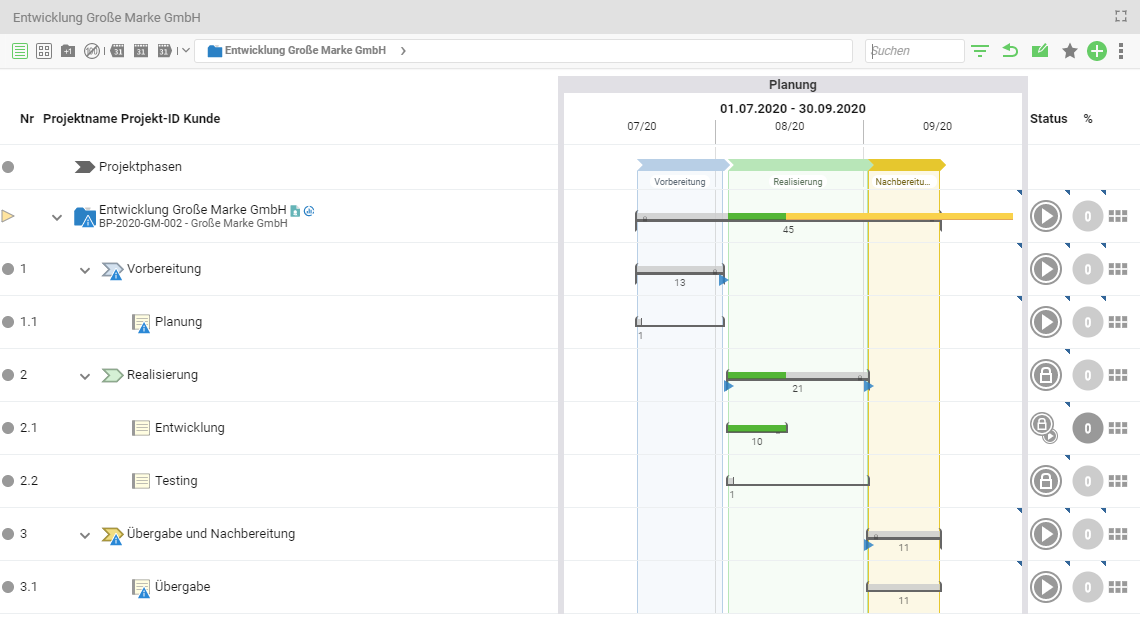
Quotation items become work packages
This is what the quotation structure looks like in the project once the order has been placed: every item is its own work package with a date, an owner and an hour budget. The project plan therefore grows out of the quotation instead of being built a second time.
What matters in software for quotation preparation
Anyone who wants to create and manage quotations pays attention above all to three criteria when choosing software for quotation preparation:
Price lists & discounts
Good quotation software draws on article catalogues and price lists and takes discounts or early payment discounts into account. This way, the right prices always end up in the quotation.
Approval workflow
Internal review and approval processes can be mapped digitally. From a defined quotation amount, the responsible colleague checks and confirms the quotation directly in the system.
Quotation → order → project
You convert accepted quotations into orders and projects without duplicate work. All quotation items automatically move into the order confirmation and into project management.
| Text file & spreadsheet | Quotation tool | projectfacts |
|---|
Word and Excel, a quotation tool or an integrated solution: what each one does for quotation preparation
| Maintaining templates | Every template is copied and maintained by hand. | Central quotation templates inside the tool. | Central templates, text modules and layouts, shared across quotation, order and invoice. |
| Price lists and discounts | Prices are transferred manually and mistakes surface late. | Article catalogue with prices and discounts. | Price lists by customer, country or period, plus discount and early payment discount per item. |
| Internal approval | Coordination by e-mail, without a record. | Usually just a simple status change. | Approval from a defined quotation amount, with notification and automatic logging. |
| Tracking open quotations | A separate spreadsheet, maintained by hand. | A status list of open quotations. | Quotation tracking with follow-up dates and reminders to chase. |
| Handover to order and project | Everything is typed in again. | As a rule, not provided for. | The quotation becomes an order, items become work packages in the project. |
| Billing | The invoice is written separately. | Handover to an accounting tool is required. | The invoice grows out of the same items, by progress or payment plan. |
| Analysing quotation success | Only via a manually kept statistic. | Win rate per quotation. | Win rate, quotation value and utilisation from a single data basis. |
Is projectfacts right for your quotation preparation?
Not every company needs an integrated solution. To save you the trial and error, here is an honest view of when projectfacts fits and when a different tool is the better choice.
A good fit if
- you deliver services as part of projects rather than shipping pre-produced goods.
- several people work on one quotation and someone has to approve it above a certain amount.
- you mix fixed prices, daily rates and hourly rates and offer optional or alternative items.
- after winning the deal you want to know how the quotation performs commercially, not just that it was accepted.
- quotation, project, time recording and invoicing currently sit in separate tools and you enter items more than once.
Less of a fit if
- you want to run pure trade with warehousing and shipping logistics. A trading ERP is the better tool for that.
- you have no quotation process and only write the occasional invoice. A lean invoicing program is enough for that.
- you specifically want a standalone tool for quotations only and do not want the link to projects and billing.
Flexible pricing for your quotation preparation
Edit prices
Prices are often a matter of negotiation. For this reason, you can flexibly influence the pricing when creating quotations. For each article or service, you can specify whether the prices can be edited later or not.
Price lists
With different price lists, you have the option of specifying different prices depending on the customer, country or period. The appropriate prices are automatically selected when writing the quotation. This prevents costly errors in the quotation prices.
Discount & early payment discount
When it comes to quotation preparation, projectfacts is as flexible as you are. Discounts or early payment discounts can be easily calculated and integrated into the quotation. Also offer your customers optional or alternative items and let them choose the exact scope of the project.
„With projectfacts we map important business processes in one place, from time recording and project organisation through to quotation and invoice preparation. That saves time and reduces friction in our day-to-day business.“
 – Alexandra Walkenhorst, Managing Director, text2net
Map your processes and approvals – simply and user-friendly with projectfacts
Your internal approval processes can be integrated and digitally mapped in the projectfacts software for quotation preparation. Regardless of whether it is a blanket review process or individual scenarios. With projectfacts, you have the option of handling your internal quotation processes online within one software package.
Specify from which quotation amount a check and approval must be carried out and by whom. The employee who is to carry out the approval is notified and can give their approval directly in the system. The creator of the quotation then also receives a message and can send the quotation directly.
All changes to the quotation are automatically logged. In this way, both the creator and the reviewer of the quotation can see when which adjustments were made. This is an invaluable advantage, especially in more complex acquisition processes with many change requests.
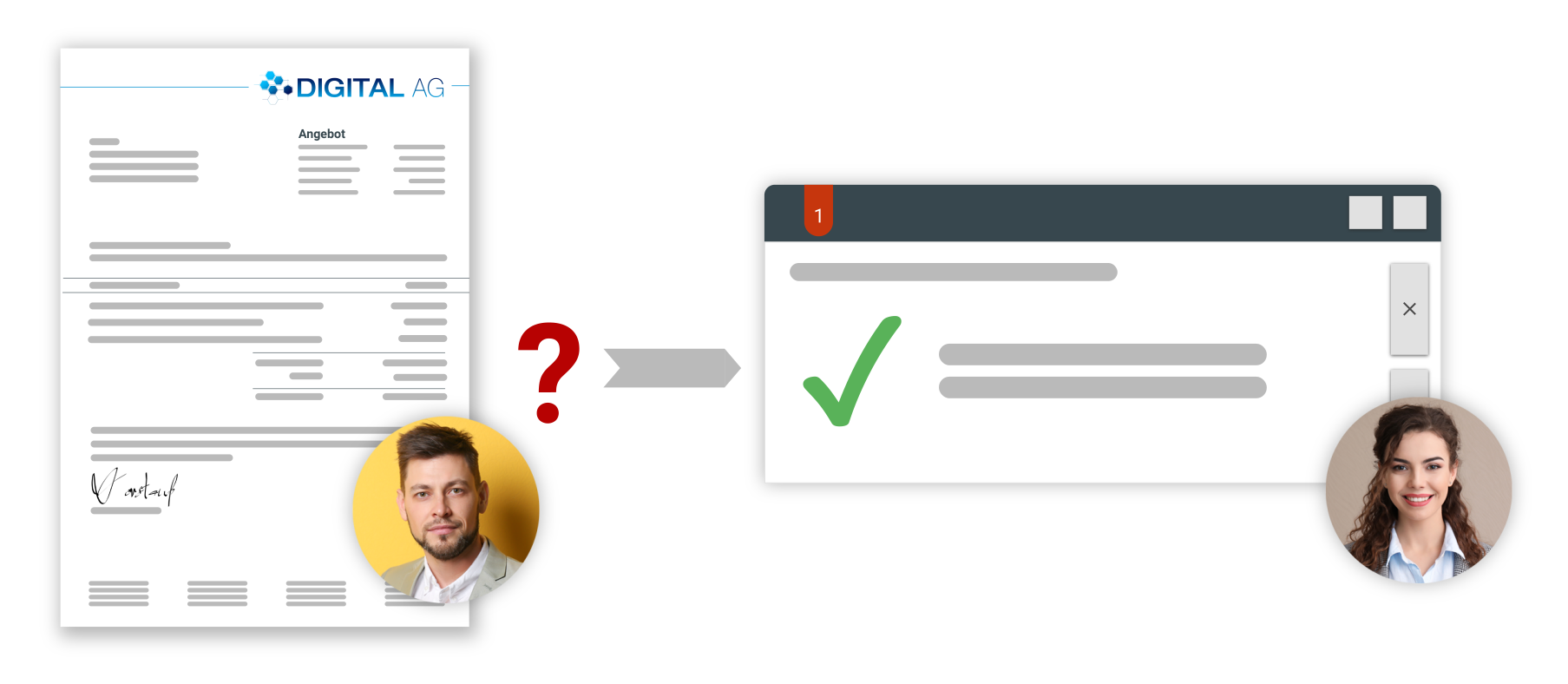
With the quotation software, you digitally map your internal review and approval processes when preparing quotations. Specify from which quotation amount a quotation must be checked and approved, and by whom. This way, you retain control over the entire quotation management at all times.
- Digitally map your review and approval processes when preparing quotations.
- Check and approve quickly and easily – directly in the system.
- Automatic logging of created quotations and of changes within a quotation.
Test the software for quotation preparation now
Map your entire quotation workflow online, from the quotation to the order confirmation to the invoice in invoicing. You benefit from a direct link to your customers in the CRM system.
Enquire nowQuotation preparation at a glance
Templates
Faster quotation preparation thanks to templates, stored services and text modules
Adaptable
Extensive customisation options for items and billing types
Individual price lists
Individual price lists by customer, country or period
Approval of quotations
Digitally map and carry out internal approval processes within the software
From quotation to order
From quotation to order to customer project in just a few clicks
All modules included
Quotation preparation, order management, projects and invoicing are all included in the per-user price
What switching over involves
The question before a decision is rarely what the software can do, but what the changeover costs. So here is an open look at how getting started works.
Your templates
projectfacts comes with standard templates that you adapt yourself. You swap the wording through text modules directly in the software. The layout is handled with JasperReports, a free tool that you can in principle operate yourself.
To be fair: customers who want a special layout usually have us build it. Doing it yourself is possible, but it is not the usual route.
Your prices and articles
You bring price lists and your article base across by Excel import. The way back works the same, through export.
The time it takes
You can get going in about an hour. Add a complex layout or a large article base and it becomes several days. Those two points set the range, nothing else.
Who does it
Setup is done together. Your consultant shows you the options and asks what you would like to handle yourself. For anything you would rather hand over, you get a quote. So you decide how much you outsource. The terms are listed under prices.
15 minutes, and you will know whether it fits
In a first call we look at how you prepare quotations today: what your templates and price lists look like, who has to approve them and what happens once you win the deal. Then we tell you whether projectfacts is the right tool for it. By video call, free of charge, with no sales pressure and no automatic follow-up appointment.
Enquire nowStill have questions? We have the right answer!
Give us a call, send us an e-mail or take a look at our FAQ section! We will be happy to answer your questions!